How to Remove Personal Information From Google Search Now
Google can remove certain personal information from search results, but it cannot delete the content from the source website. Start with the source site, then file a removal request with Google using the exact URLs.
If you have been searching for how to remove personal information from google search, you are not alone. Old addresses, phone numbers, and data-broker profiles have a way of resurfacing at the worst moments — during a job search, a client meeting, or a background check. The good news is that Google now offers several formal removal channels, and most people can complete the process in under an hour once they know the exact steps. This guide walks through what Google can and cannot remove, how to file requests correctly, and why this is a recurring task rather than a one-time fix.
- Removal vs. deletion: Google removal hides pages from search results; the source page stays live.
- Eligible content: Addresses, phone numbers, ID documents, bank details, and doxxing content qualify.
- Process order: Contact the source site first, then submit Google removal requests.
- Dedicated categories: Doxxing and non-consensual explicit images have faster, separate processes.
- Ongoing task: Data reappears, so re-check your name every 60–90 days.
What Does Removing Personal Information From Google Search Actually Mean in 2026?
Before you start filing requests, it helps to understand what “removal” actually means. Google does not host most of the personal information you find in search results. The data lives on blogs, forums, business directories, and data-broker sites; Google simply indexes those pages and displays them when a query matches. When you remove personal information from Google search, you are asking Google to stop showing specific pages — not asking the internet to forget the data.
Why Google cannot “delete” your data — only hide it from search results
Google’s search engine works by crawling billions of pages and storing copies of their content in an index. When you perform a search, Google pulls matching pages from that index. If Google removes a page from its results, the page itself remains live on the original website. Anyone with the direct link can still open it, and other search engines like Bing or DuckDuckGo may still show it.
This distinction matters because it shapes your strategy. If your goal is genuine deletion, you need to contact the website that published the information. If your goal is simply to stop Google from surfacing it, a removal request can work quickly. Understanding how search engines decide which pages rank helps clarify why some removal requests succeed while others are denied.
What counts as personal information under Google’s current policies
Google’s removal policies have expanded significantly in recent years. The company now accepts removal requests for a range of sensitive personal data, including home addresses, phone numbers, email addresses, government ID numbers, bank account details, and medical records. It also removes non-consensual explicit images and content posted with the intent to doxx or harass.
The definition is not static. Google periodically expands the categories it considers personal information, so a type of content that was denied a few years ago may now qualify. It is worth re-checking Google’s official policy page before assuming a request will fail.
Google’s removal policies and submission forms change periodically. Always confirm the current process on Google’s official support pages before submitting a request.
What Personal Information Can You Remove From Google Search Right Now?
A user searches for their name on Google to review visible personal details.
Knowing what qualifies — and what does not — saves you from wasting time on requests that Google will automatically deny. The table below summarizes the current landscape.
Types of content Google will remove on request: addresses, phone numbers, ID documents, and bank details
Google will generally remove pages that expose your home address, personal phone number, personal email address, government-issued ID numbers such as a passport or driver’s license, bank or credit card account numbers, medical records, and login credentials. It also removes non-consensual intimate imagery and doxxing content that creates a serious safety risk. For these categories, you typically need to provide the exact URLs and demonstrate that the information is personally identifiable to you.
Types of content Google will not remove: public records, news articles, and third-party reviews
Google will usually deny requests for content that falls into the public interest. This includes news articles written by legitimate outlets, court records, property records, government publications, and third-party reviews. If the information appears in a public record, Google considers the public’s right to access it more important than your privacy interest. The same applies to content that is widely reported or that involves public figures.
This does not mean you have no options. You can still contact the publisher directly, request corrections, or ask the court or agency to seal or redact records. But Google itself will not hide these pages simply because they are embarrassing or inconvenient.
| Content Type | Removable via Google? | Best Approach |
|---|---|---|
| Home address / phone number | Yes, on request | Submit removal request with exact URL |
| ID documents / bank details | Yes, on request | Submit removal request; also contact source |
| Non-consensual intimate images | Yes, dedicated policy | Use Google’s NCII removal form |
| News articles | Usually no | Contact publisher directly |
| Court / property records | Usually no | Request sealing from the court or agency |
| Third-party reviews | No | Use the platform’s review dispute process |
How to Remove Personal Information From Google Search: Step-by-Step Process
The process is straightforward, but the order matters. Follow these four steps in sequence for the best chance of success.
Search for your name in quotation marks, then add terms like your city, phone number, or workplace. Try multiple search engines and variations — “John Smith” plus phone, “John Smith” plus address. You need the precise URL for each page you want removed. Bookmark them or paste them into a spreadsheet, and check Google Images as well, since screenshots of documents can appear there.
Visit each page and look for a contact form, an opt-out link, or a privacy policy. Many directories and data-broker sites have formal opt-out processes. If the site has no removal process, email the webmaster with a polite request and include the URL. Getting the source to remove the content is the only way to achieve true deletion — and it makes your Google request stronger. Some Google removal categories require proof that you contacted the source first.
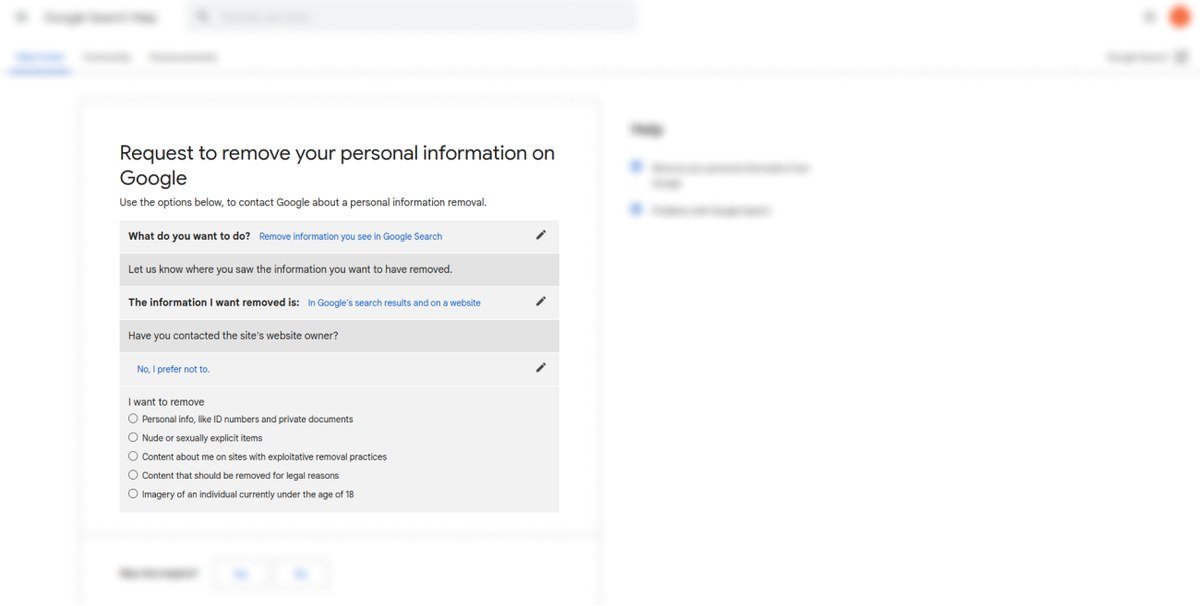
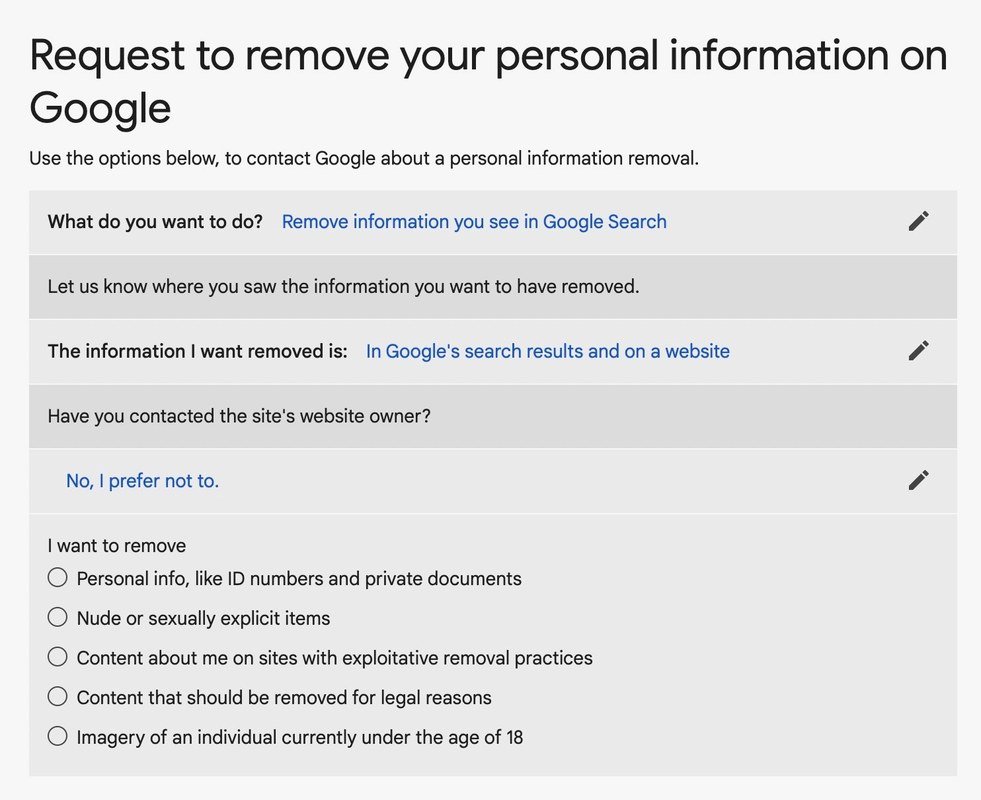
Google provides two main tools. The first is the URL removal tool in Google Search Console, which lets you request removal of specific URLs from search results. The second is the “Results about you” dashboard, designed specifically for personal information like addresses and phone numbers. Both require you to be signed in to a Google account. Fill in the exact URL, select the reason that matches your situation, and submit. Google typically responds within a few business days, though complex cases can take longer.
Removal is not permanent. The same data can reappear on new pages, and data brokers often re-publish information after a few months. Set a calendar reminder to re-check your name every 60 to 90 days. When you find new URLs, repeat the process. For recurring offenders, consider a paid reputation-management service — though you can handle most of it yourself if you stay consistent.
Use Google’s advanced search operators to find hidden pages. Try “your name” plus “phone number” or site:example.com “your name” to narrow results. You can also set up a Google Alert for your name so you are notified when new pages appear.
How to Remove Personal Information From Google Search for Doxxing and Explicit Content<
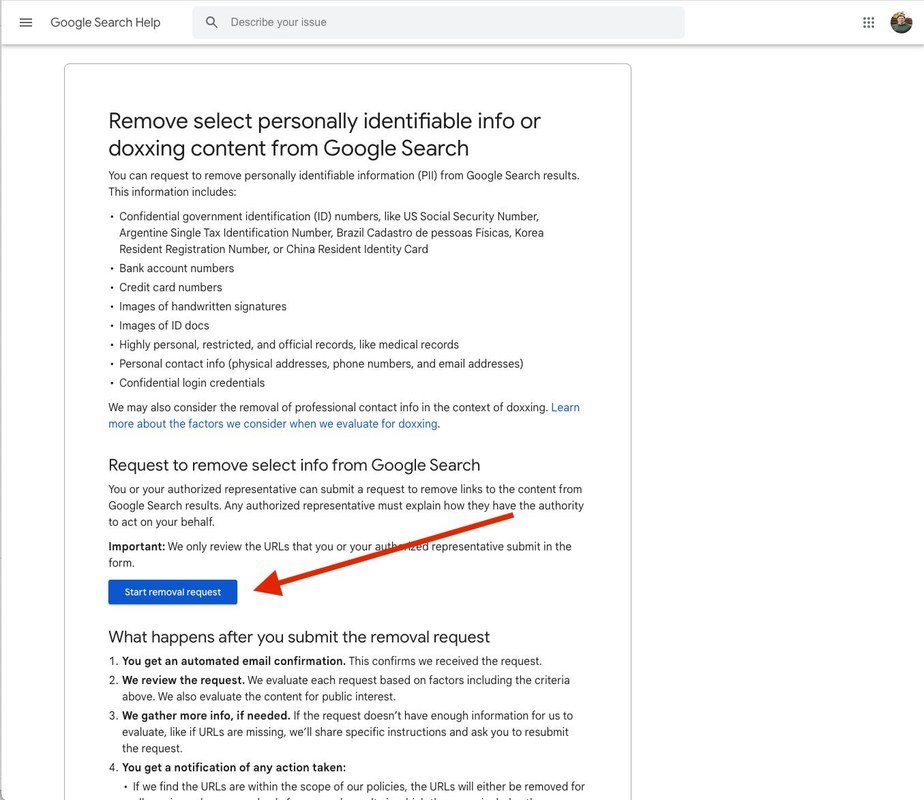
Screenshot showing Google search results with options to request removal of personal data.
Screenshot showing Google search results with options to request removal of personal data.
Doxxing and non-consensual explicit content require a faster, more urgent response than routine data-broker removals. Google treats these as priority categories.
Removing non-consensual explicit images and intimate content
If someone has posted intimate images or videos without your consent, Google has a dedicated removal process. You do not need to contact the source site first, and Google will not ask you to prove harm — the content itself qualifies. Submit a request through Google’s non-consensual explicit imagery form and provide the URLs where the content appears. You should also report the content to the hosting platform and consider legal options, since Google removal does not delete the original file.
Removing doxxing content that exposes your home address or contact details
Doxxing — publishing someone’s private contact details with malicious intent — is a recognized removal category. Google will remove pages that expose your home address, phone number, or personal email when the content creates a risk of harm. Document every URL, take screenshots, and submit a removal request for each one. If the doxxing is tied to threats or harassment, contact local law enforcement and keep a record of your removal requests as evidence.
Why Removing Personal Information From Google Search Matters: Key Benefits
Removal requests are not about vanity. They have concrete effects on your security, your career, and your peace of mind.
Reducing identity theft and phishing risks
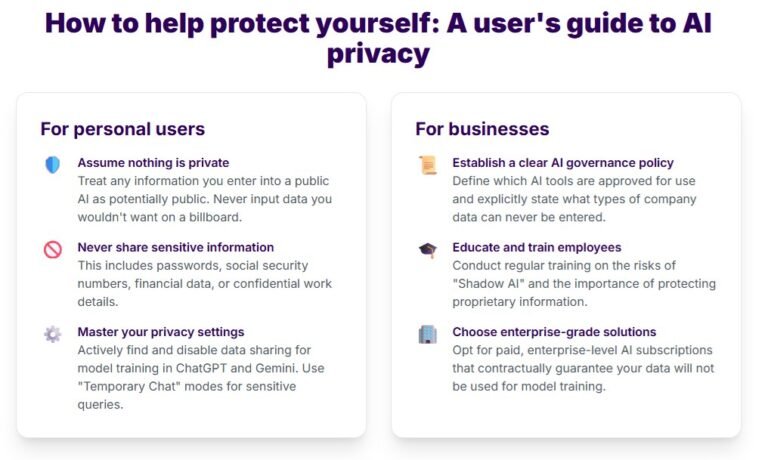
Every piece of personal data that is publicly available makes you an easier target for identity theft and phishing. Scammers use your real address, phone number, or email to make fraudulent messages look legitimate. Removing your information from search results shrinks the pool of data they can exploit. This is especially important as AI tools make it easier to craft convincing scams — see our guide on how to stay safe from AI scams. Pairing search removal with broader privacy habits, like limiting what you share with AI assistants, creates a much stronger defense — learn more about protecting your privacy when using AI tools.
Protecting your professional reputation and personal safety
Employers, clients, and business partners routinely search candidates before meetings or interviews. An old address linked to a previous legal issue, or an embarrassing forum post from a decade ago, can shape their impression before you even speak. Removing personal information helps you control what strangers see. For people in public-facing roles, or those escaping abusive relationships, search removal can be a genuine safety measure.
Limitations: What Removing Personal Information From Google Search Can’t Do
It is important to be realistic about what removal achieves. Google is one search engine among many, and the internet has a long memory.
Why the information often still exists on the original website
Removing a page from Google’s index does not delete it from the web. The original page remains live on its host site, and anyone who has the direct link — or who uses another search engine — can still find it. If the information is truly sensitive, the source site removal request in Step 2 is the more important half of the process. Google removal is a visibility fix, not a deletion fix.
Why new copies of your data can reappear in search results
Data brokers and people-search sites regularly re-publish information that was previously removed. New directories launch, old sites change hands, and scraping tools copy content across the web. Even if you successfully remove ten URLs this month, five new ones can appear next month. AI-powered search features also add a wrinkle: Google AI Overviews can summarize personal information from indexed pages, which means you may need to monitor not just traditional links but AI-generated answers as well.
Common Mistakes When Trying to Remove Personal Information From Google Search
Most failed removal requests come down to a few predictable errors. Avoid these three.
Mistake 1: Skipping the source website removal request
Jumping straight to Google without contacting the source site is the most common mistake. If the publisher removes the content, it disappears from all search engines automatically. If you only get it removed from Google, it stays live on the source — and can be re-indexed later.
Mistake 2: Submitting incomplete or inaccurate removal requests
Google requires specific URLs, accurate categories, and often proof of identity. Vague requests like “remove my information” get rejected. Take the time to copy each URL exactly, select the correct removal reason, and fill out every field.
Mistake 3: Ignoring paid data-broker sites and people-search directories
Sites like Whitepages, Spokeo, and similar directories are usually the top results for your name. Each has its own opt-out process, and Google removal alone will not stop them from publishing your data. You need to opt out directly with each broker. Some charge a fee; others are free but require you to verify your identity.
- Start with the source website, then file the Google request
- Keep a spreadsheet of every URL and request date
- Opt out of data-broker sites directly
- Submitting vague requests without exact URLs
- Assuming one removal is permanent
- Paying for services that promise to “delete you from the internet”
Final Verdict: Is Removing Personal Information From Google Search Worth It in 2026?
Yes — with realistic expectations. The process is free, takes a few hours of focused work, and can meaningfully reduce how much personal data strangers can find about you. But it is not a one-time fix.
Who benefits most from the removal process
People with common names benefit less, because their data is buried among many results. People with unique names, public-facing professionals, and anyone who has experienced stalking or doxxing benefit the most. If your name returns a clean first page of results, you may not need to bother. If your address and phone number appear in the top five results, the effort is clearly worth it.
Ongoing maintenance: why this is a recurring task, not a one-time fix
Plan to revisit your search footprint every few months. Set a reminder, run the same searches, and check for new appearances. The first round of removals takes the most time; subsequent rounds are usually quick. Consider it a small maintenance task, like checking your credit report — a few minutes every quarter that protects your privacy over the long term.
- Google removal hides pages from search results; it does not delete the source content.
- Start with the source website, then submit a Google removal request with exact URLs.
- Doxxing and explicit content have dedicated, faster removal processes.
- Data-broker sites require separate opt-outs — Google removal alone is not enough.
- Re-check your name every 60 to 90 days because new copies of your data will reappear.
Frequently Asked Questions





One Comment