How to Spot Fake Emails and Messages Before Its Too Late
Fake emails and messages are designed to make you act before you think. Check the sender address, hover over links, and verify through an official channel before entering any information.
Learning how to spot fake emails and messages is one of the most valuable digital safety skills you can build in 2026. Scammers have moved past the clumsy, all-caps spam of the early internet and now use polished templates, stolen logos, and manufactured urgency to slip past even careful readers. Most attacks still rely on the same psychological tricks, and once you know what to look for, you can identify them in seconds.
- Check the sender: The display name can be faked; always expand the full email address and reply-to.
- Verify before clicking: Hover over links, open the official app directly, and never open unexpected attachments.
- Spot the tricks: Urgency, generic greetings, and too-good-to-be-true offers are classic manipulation tactics.
- Act fast if compromised: Change passwords, enable 2FA, alert your bank, and report the message to your provider.
- Build daily habits: Use a password manager, keep software updated, and back up your data regularly.
What Counts as a Fake Email or Message in 2026?
A fake email or message is any communication that pretends to come from a trusted source but is actually designed to steal information, money, or access. In 2026, these attacks arrive through email, SMS, messaging apps, and even voicemail, and they are harder to distinguish from legitimate messages than ever before.
Phishing, Smishing, and Vishing: Know the Attack Vectors
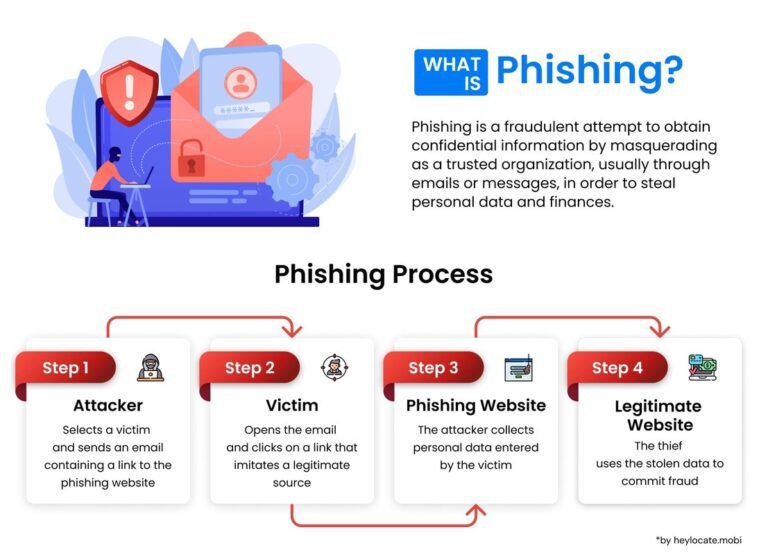
Phishing is the umbrella term for fraudulent messages that bait you into revealing sensitive data. When it arrives by email, it’s phishing. By text message, it’s smishing. When a scammer calls and uses voice tricks to extract information, it’s vishing. Each channel has its own quirks, but the goal is the same: get you to act before you think.
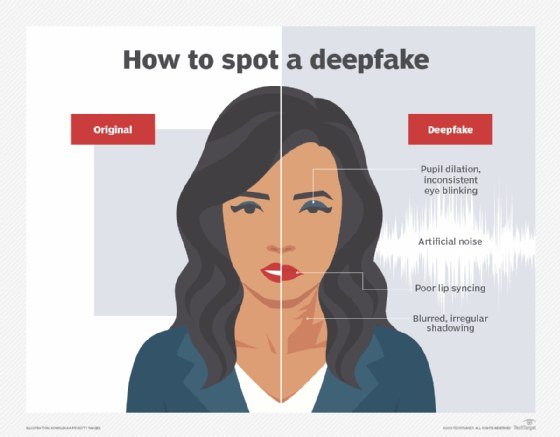
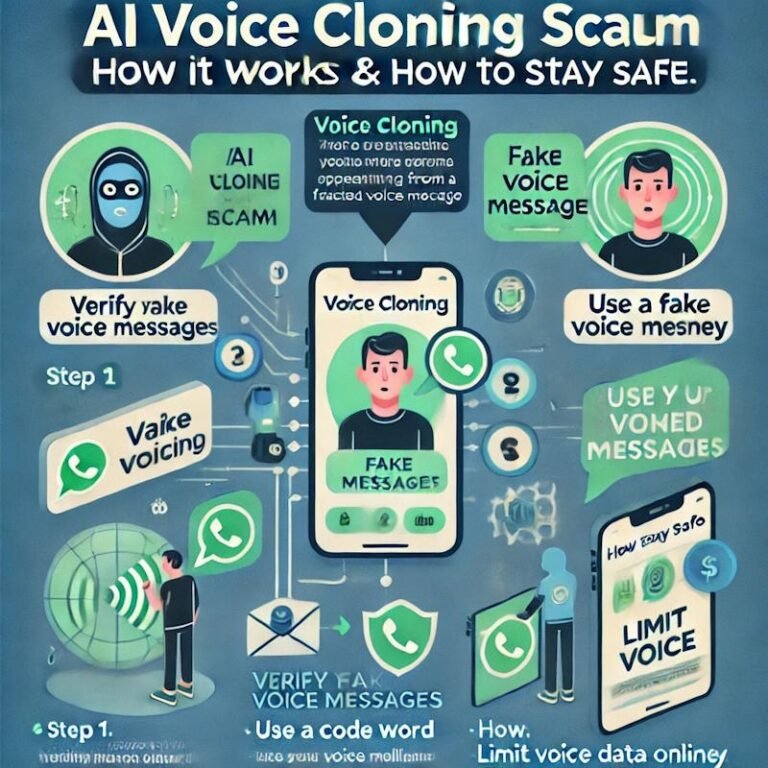
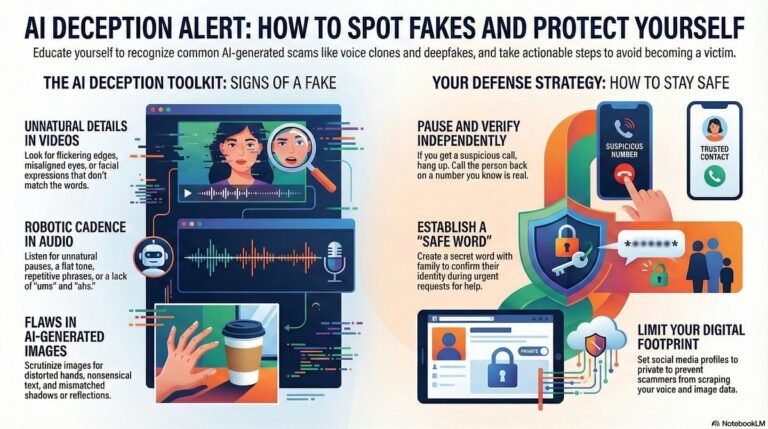
Attackers now use AI-generated voice clones and deepfake video to make vishing far more convincing. If you receive a voice note or video call from a “relative” or “boss” asking for money or credentials, treat it with the same suspicion you would a strange email. Our guide on how to detect deepfake videos covers the visual and audio clues to look for.
Why Cybercriminals Are Targeting Personal Inboxes More Than Ever
Personal inboxes are attractive because they hold everything: bank alerts, shopping receipts, password resets, and real conversations. A single compromised inbox can unlock multiple accounts, which is why attackers invest so much effort in making their messages look legitimate. They also know personal email is checked constantly, often on a phone, where small details are easy to miss.
Add the rise of AI tools that can write flawless phishing messages in any language, and the volume of attacks has grown dramatically. You no longer need to be a high-value executive to get a targeted message; ordinary inboxes are now the primary hunting ground.
The 7 Most Common Red Flags to Look For
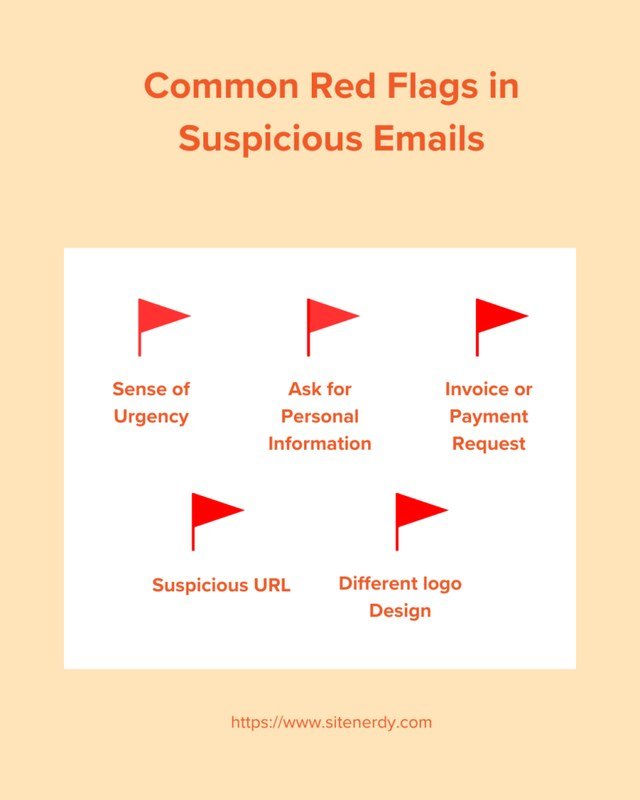
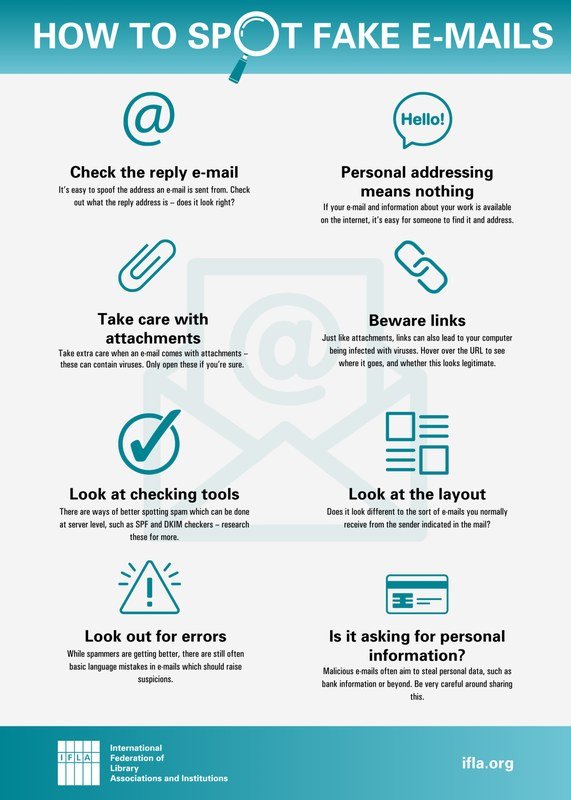
An infographic listing seven red flags to identify fake emails and messages.
Most fake messages share a handful of recognizable patterns. You don’t need to memorize every scam; you just need to notice when something feels off.
Urgency and Fear Tactics That Short-Circuit Your Judgment
Scammers create urgency because it works. “Your account will be suspended in 24 hours,” “Unusual login detected,” or “Your package is waiting, confirm now” are designed to make you act before you think. Legitimate companies rarely demand immediate action and never threaten to lock you out without a clear way to verify the issue yourself.
When a message creates a sudden spike of anxiety, stop. Close the message, take a breath, and open the company’s website or app directly by typing the address yourself. If the alert is real, it will be waiting for you there.
Suspicious Sender Addresses and Disguised Display Names
The display name is easy to fake. An email can say “PayPal” while the actual address behind it is something like paypa1-support@random-domain.net. Always check the full sender address, not just the name. On mobile, tap the sender name to expand the details; on desktop, hover over it.
Look for subtle misspellings: amaz0n, micros0ft, or a domain that ends in .co instead of .com. These small differences are the fingerprints of a scam.
Generic Greetings, Odd Grammar, and Unnatural Tone Shifts
Legitimate companies usually address you by name. A message that starts with “Dear Customer” or “Hello User” is a warning sign, especially if it claims to be about an account you know you have. Odd grammar and awkward phrasing are also common, though AI-generated messages are making this red flag less reliable.
Pay attention to tone shifts too. A message that starts formal and suddenly becomes casual, or one that uses overly emotional language, is often written to manipulate rather than inform.
Unexpected Attachments and Mismatched URLs
An attachment you weren’t expecting is a major red flag, even if it looks like a PDF or an invoice. Scammers hide malware in attachments that appear to be receipts, shipping labels, or voicemail recordings. If you weren’t expecting a file, don’t open it.
For links, hover before you click. On desktop, your browser shows the destination URL in the bottom corner. On mobile, press and hold the link to preview it. If the visible text says “track your package” but the link points to a random IP address or a misspelled domain, it’s a scam.
How to Verify a Suspicious Message Step by Step
When a message looks questionable, you don’t need to be a cybersecurity expert to check it. A few simple steps will tell you almost everything you need to know.
Expand the sender details and compare the full address to the official domain. Look for misspellings or unfamiliar domains.
Preview the destination URL on desktop or mobile. If it doesn’t match the company’s real website, don’t click.
Type the company’s address into your browser yourself. Log in and check for alerts. If nothing appears, the email was fake.
Call the official customer service number or use the support chat on the company’s website. Don’t reply to the suspicious message.
Inspect Email Headers and Authentication Protocols (SPF, DKIM, DMARC)
For a deeper check, look at the email headers. In Gmail, click the three dots and select “Show original.” In Outlook, open the message and select “View” then “View message source.” Headers show the actual path the email took and reveal whether the sender’s domain is legitimate.
Three authentication protocols matter: SPF, DKIM, and DMARC. SPF checks that the sending server is authorized by the domain, DKIM verifies the message wasn’t altered in transit, and DMARC tells receiving servers what to do with messages that fail these checks. If all three pass, the email is very likely from the real domain. If they fail, treat the message as fraudulent.
Authentication results are technical, and some legitimate senders still misconfigure their records. A failed SPF or DKIM check is a strong warning sign, but a passing check doesn’t guarantee the message is safe if the content itself is suspicious.
Hover Before You Click: Checking Links and Attachments Safely
Hovering is the fastest way to expose a fake link, but it only shows the first layer. For a closer look, copy the link and paste it into a text editor to see the full URL. Watch for domains that use a different top-level domain, like .net instead of .com, or that include the real brand name as a subdomain, like paypal.com.evil-site.net.
For attachments, never open a file you weren’t expecting. If you must check it, scan it with your email provider’s built-in virus scanner or upload it to a reputable scanning service first. When in doubt, delete it.
Contact the Sender Through a Separate, Trusted Channel
The most reliable verification is to contact the person or company through a channel you already trust. If a colleague sends a strange request, call their known phone number. If a bank sends an alert, call the number on the back of your card. Never use the contact details provided in the suspicious message itself.
Who Is Most at Risk and How Scammers Tailor Their Attacks<

A person reviews a phishing email on a laptop, with warning signs highlighted on screen
A person reviews a phishing email on a laptop, with warning signs highlighted on screen
Anyone can fall for a well-crafted fake message, but scammers don’t treat everyone the same. They tailor their approach based on who you are and what you have.
Everyday Users vs. High-Value Targets: The Different Playbooks
Everyday users typically receive broad, volume-based attacks: fake delivery notices, fake security alerts, and fake invoices. High-value targets, like executives, finance staff, and IT administrators, receive spear-phishing: carefully researched messages that reference real projects, real colleagues, and real internal systems. These attacks are harder to spot because they look like normal business communication.
If you work in finance, HR, or IT, you are more likely to receive a targeted attack than someone in a non-technical role. That’s not paranoia; it’s just how attackers allocate their effort.
Why Remote Workers, Seniors, and Frequent Online Shoppers Are Prime Targets
Remote workers are targeted because they rely on email for everything and often work outside the protection of a corporate network. Seniors are targeted because they are more likely to trust authority figures. Frequent online shoppers are targeted because their inboxes are full of legitimate delivery and order notifications, making it easy for a fake one to blend in.
If you fit any of these profiles, slow down. The more messages you receive, the more important it is to verify before acting.
Common Mistakes That Trick Even Careful People
Even people who know the basics of phishing can be fooled. The mistakes below are the ones that trip up the most careful readers.
Overlooking the “Reply-To” Address and Domain Misspellings
The “From” address can be spoofed, but the “Reply-To” address often reveals the scam. If you reply, your response goes to the address in the “Reply-To” field, which is frequently fraudulent. Check both fields before you hit reply. Domain misspellings are also easy to miss, especially on a phone screen.
Trusting Logos, Brand Colors, and Official-Looking Signatures
Logos and brand colors are public. Anyone can copy them into an email in seconds. A polished design tells you nothing about the sender’s legitimacy. The same goes for official-looking signatures, legal disclaimers, and copyright notices. These are cosmetic details, not proof of authenticity.
- Check the sender address and reply-to field on every message that asks for action.
- Verify links by hovering and comparing the URL to the company’s real domain.
- Open the official website or app directly when you receive an urgent alert.
- Trusting a message just because it has a recognizable logo or brand colors.
- Clicking links or opening attachments in messages you weren’t expecting.
- Replying to a suspicious message to ask if it’s real; that confirms your address is active.
Falling for “Too Good to Be True” Offers and Fake Invoices
Winning a prize you never entered, receiving a refund you didn’t request, or getting a “final notice” for an invoice you don’t recognize are all classic scams. The offer is designed to override your skepticism with excitement or fear. Fake invoices are especially effective because they look like routine business documents, and many people pay them without checking.
If an offer or invoice arrives out of nowhere, assume it’s fake until you can verify it through an official channel.
What to Do If You’ve Already Clicked or Entered Information
If you’ve already clicked a link, opened an attachment, or entered your password, don’t panic. Acting quickly can limit the damage.
Time matters after a breach. The faster you change passwords and alert your bank, the better your chances of stopping fraud before it spreads. Don’t wait to see if something happens.
Immediate Steps to Limit Damage: Passwords, Banks, and Identity Theft
Start by changing the password for the account you entered, then change it for any account that uses the same password. Enable two-factor authentication on all important accounts. If you entered financial information, contact your bank or credit card company immediately. If you entered personal details like your Social Security number, consider placing a fraud alert on your credit file. You may also want to review our guide on how to remove personal information from Google search to reduce your digital footprint.
If you clicked a link but didn’t enter anything, run a virus scan on your device. Malware can be installed silently, and a scan is the fastest way to check.
How to Report Fake Messages to Your Email Provider and Authorities
Reporting a fake message helps protect other people. In Gmail, click “Report phishing” in the menu. In Outlook, use “Report message” and select “Phishing.” Most providers also let you block the sender. For messages that involve financial fraud or identity theft, report them to the Federal Trade Commission at ReportFraud.ftc.gov or your local equivalent. If a fake message impersonates a specific company, forward it to that company’s security team as well.
Tools and Daily Habits That Keep You Protected
No single tool makes you immune, but the right combination of habits and settings dramatically reduces your risk.
Built-In Security Features and Third-Party Filters Worth Using
Your email provider already filters a large share of spam and phishing attempts. Make sure those filters are enabled and that you’re using a provider with strong spam protection. Third-party filters can add another layer, but they’re not a substitute for careful reading. The best filter is still your own attention.
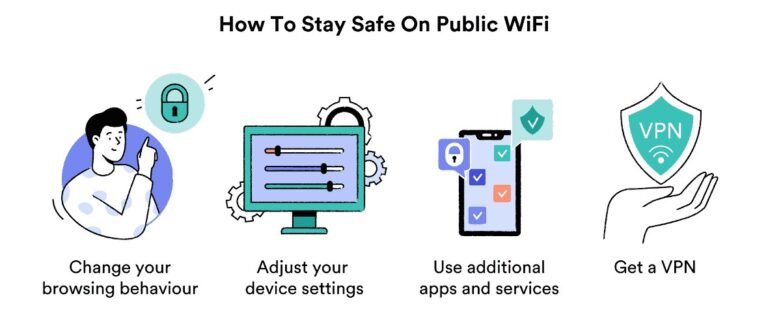
If you use public Wi-Fi, be especially careful about logging into sensitive accounts. A compromised network can intercept your traffic, which is why it’s worth understanding how to stay private on public Wi-Fi before you connect.
Two-Factor Authentication and Password Managers as Your Safety Net
Two-factor authentication (2FA) means that even if a scammer gets your password, they still can’t get in without the second factor. Use an authenticator app rather than SMS when possible, because SMS codes can be intercepted. A password manager also helps: it generates strong, unique passwords, and it won’t autofill on a fake website that mimics a real one. That alone can stop you from entering your password into a phishing page.
Regular Software Updates and the Importance of Backing Up Data
Software updates often include security patches for vulnerabilities that scammers exploit. Enable automatic updates on your phone, computer, and apps. Backing up your data regularly means that even if malware locks your files, you can restore them without paying a ransom. Use the 3-2-1 rule: three copies, on two types of storage, with one off-site.
AI-generated scams are also on the rise, and learning to recognize them is part of staying safe. Our guide on how to stay safe from AI scams covers the newest tactics, including voice cloning and deepfake video calls.
Final Recommendation: Verify First, Trust Second
The single most effective habit you can build is to verify before you act. Every scam, no matter how sophisticated, depends on you skipping that step.
The Real Value of a Few Extra Seconds Before You Click
Taking ten seconds to check the sender address, hover over a link, or open the official app directly costs almost nothing. The payoff is enormous: you avoid malware, identity theft, and financial loss. Speed is the scammer’s best friend, and your best defense is to refuse to be rushed.
When in Doubt, Assume It’s a Scam
If a message feels off, even if you can’t explain why, trust that feeling. Legitimate companies will never be upset that you verified a message before acting. A real alert will still be there when you log in through the official channel. A scam, on the other hand, disappears the moment you stop engaging with it.
- Check the sender address and reply-to field, not just the display name.
- Hover over links and open the official website or app directly to verify alerts.
- Never open unexpected attachments or act on urgent threats without verification.
- Use two-factor authentication and a password manager as your safety net.
- If you’ve already clicked, change passwords, alert your bank, and report the message.
Frequently Asked Questions