How to Protect Privacy When Using AI Tools Securely
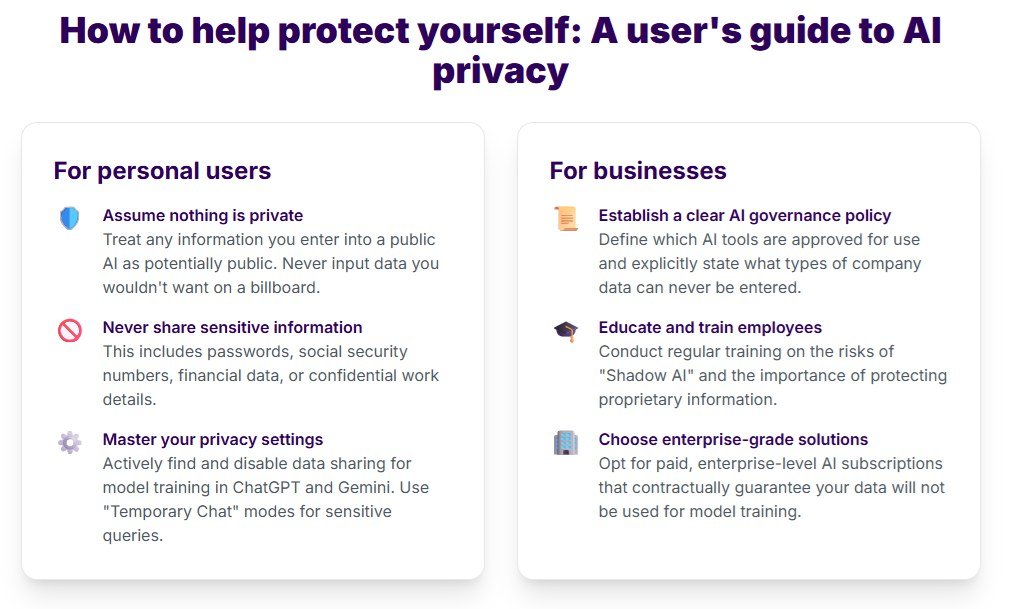
Protect your AI privacy by choosing tools with clear retention policies, turning off chat history and memory, and keeping sensitive information out of prompts. Match the privacy level to the task and audit your settings monthly.
The question of how to protect privacy when using ai tools has moved from a niche technical concern to a daily decision for millions of people. Every prompt you type into a chatbot, image generator, or AI writing assistant can reveal details about your work, health, finances, or personal life — and once that information leaves your device, you have limited control over where it goes.
- Assume prompts are data: Anything you type can be stored, reviewed, or used for training.
- Check the settings: Turn off chat history, memory, location access, and unused plugins.
- Match privacy to risk: Use enterprise or on-device tools for sensitive work, consumer tools for casual questions.
- Audit monthly: Review connected apps and permissions on a regular schedule.
- Read the policy: Re-check privacy policies after any terms update.
How to Protect Privacy When Using AI Tools: The Bottom Line
Protecting your privacy with AI tools comes down to three actions: choosing tools that minimize data collection, changing the settings that control what gets saved, and building habits that keep sensitive information out of prompts in the first place. None of these steps require technical expertise, but they do require treating AI conversations as data, not as private chats.
The Core Privacy Risks You Are Exposed to in 2026
AI providers collect far more than the text you type. Your prompts are often stored alongside your account details, device information, IP address, and timestamps. In many cases, that data is used to train future models unless you explicitly opt out. Plugins and integrations add another layer: granting a third-party app access to your AI assistant can expose your conversation history to that developer as well.
Data breaches are another real risk. AI platforms hold massive centralized datasets, which makes them attractive targets. Even without a breach, subpoenas, employee access, and accidental leaks can expose conversations you assumed were private.
Why AI Privacy Protection Is No Longer Optional
By 2026, AI tools are embedded in browsers, operating systems, phones, and workplace software. You may be using AI without realizing it — in email autocomplete, document summarization, or customer support chats. That embedding means the boundary between “using AI” and “living with AI” has disappeared.
Regulations such as the EU AI Act and state-level privacy laws have raised the legal stakes for companies, but enforcement is still catching up. The practical reality is that individual users and organizations need their own safeguards. Once a model has been trained on your data, there is no reliable way to retract it.
What to Look for in a Privacy-Respecting AI Tool
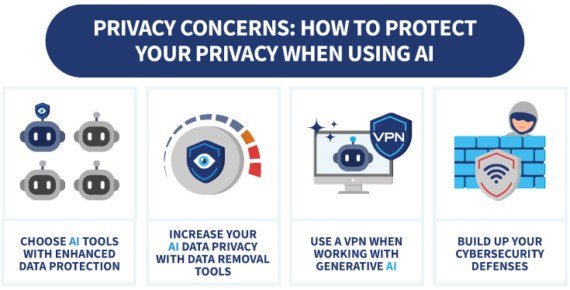
Checking AI tool privacy features before entering personal data.
Not all AI tools treat your data the same way. Before you commit to a new assistant or chatbot, evaluate it against a few concrete criteria.
Data Retention Policies and Training Opt-Outs
The first thing to check is what the provider does with your data after you close a conversation. A privacy-respecting tool will state its retention period in plain language — for example, whether prompts are deleted after 30 days or kept indefinitely. A clear privacy policy is the first thing to check. TheWordsNews’s privacy policy is a useful benchmark for transparent data-disclosure language, and you can apply the same standard when evaluating AI providers.
Training opt-outs matter just as much. Many major AI platforms let you disable the use of your conversations for model improvement, but the setting is often buried or off by default. Look for tools that make the opt-out obvious, or that promise zero-retention modes for sensitive work.
On-Device Processing vs. Cloud Processing
On-device AI runs models directly on your phone or computer, so your prompts never leave your hardware. This is the strongest privacy option for sensitive tasks, and it has improved significantly in recent years. The trade-off is that on-device models are often smaller, which can mean slower responses or less capable reasoning.
Cloud-based AI offers more power and convenience, but your data travels to the provider’s servers. If you choose a cloud tool, look for one that lets you turn off history, offers data-deletion tools, and publishes clear security documentation.
End-to-End Encryption and Zero-Access Architecture
End-to-end encryption means your prompts are encrypted before they leave your device and can only be decrypted by you. Zero-access architecture goes a step further: the provider’s own employees cannot read your conversations even if they wanted to. Both features are rare in consumer AI tools, but they are becoming more common in enterprise and privacy-focused products.
Be skeptical of marketing claims here. If a provider says it uses encryption, check whether it also holds the decryption keys. A tool that can reset your password or recover your account can technically access your data.
Who Needs Stronger AI Privacy Protections — and Who Can Relax
Your risk level depends on what you type into AI tools and what happens if that information becomes public.
High-Risk Users: Journalists, Legal Professionals, and Healthcare Staff
Journalists handling confidential sources, lawyers working with privileged communications, and healthcare staff dealing with patient data face serious professional and legal consequences if AI conversations leak. For these users, free consumer chatbots are rarely acceptable. Enterprise-grade tools with data processing agreements, on-device options, or self-hosted models are the safer path.
If your work is governed by confidentiality rules, check whether your employer has approved specific AI tools and whether those tools meet compliance requirements. A personal account on a public chatbot should never be used for client, patient, or source information.
Everyday Users: What Is Actually at Stake for You
For everyday use, the stakes are lower but still real. People routinely ask AI assistants about medical symptoms, financial decisions, relationship problems, and travel plans. That information can be used for targeted scams, identity theft, or embarrassing leaks if the account is compromised.
You do not need enterprise-level protection for casual use, but you should still assume that anything you type could be stored, reviewed, or leaked. Adjust your behavior accordingly.
Key Privacy Settings to Change Immediately
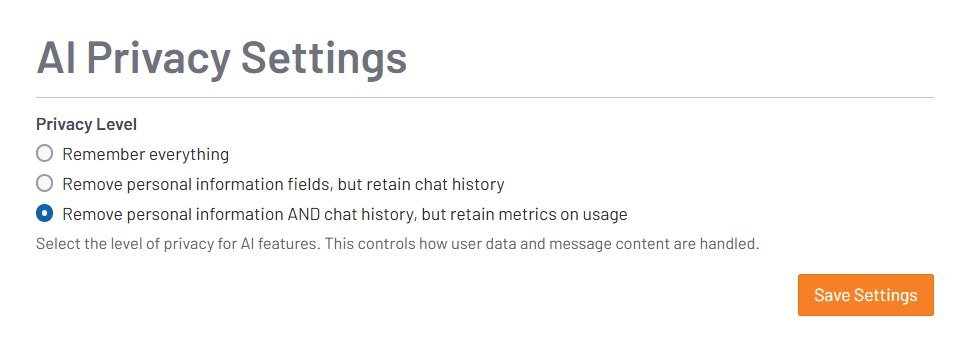
A privacy settings menu showing options for managing AI data sharing controls.
If you already use AI tools, these settings changes take a few minutes and can significantly reduce your exposure.
Chat History, Memory, and Auto-Save Controls
Most major AI chatbots save your conversations by default. Turn off chat history if the option exists, or switch to an incognito or ephemeral mode. Memory features, which let the AI remember facts about you across sessions, should be disabled unless you genuinely need them.
Treat every AI conversation as if it could be read by a stranger. If you would not put it in an email to a random address, do not put it in a prompt.
Location Data, Metadata, and Prompt Anonymization
AI apps on your phone may request location access they do not need. Deny it. In your prompts, strip out identifying details — full names, email addresses, phone numbers, and exact dates of birth. Use generic descriptors instead: “a 45-year-old client with a tax issue” is safer than a name and Social Security number.
Third-Party Plugins, Integrations, and API Permissions
Many AI platforms offer plugins that connect to Google Drive, Slack, email, or calendars. Each integration is a new data pathway. Review the list of connected apps in your account settings and revoke anything you do not actively use. The same applies to browser extensions that claim to enhance AI tools — they can read everything on the pages you visit.
Common AI Privacy Mistakes and How to Avoid Them
Most privacy problems come from habits, not from malicious software. These are the mistakes that show up again and again.
Pasting Confidential Information Into Public Prompts
The most common mistake is pasting a contract, a medical note, or a customer list into a chatbot to get a summary. Even if the tool has privacy controls, you have no guarantee about how the data is handled downstream.
Never paste passwords, financial account numbers, health records, or legally privileged documents into a consumer AI tool. If a task requires handling this type of data, use an approved enterprise tool with a written data-processing agreement.
Ignoring Privacy Policy Updates and Terms Changes
Privacy policies change. A tool that promised not to train on your data can update its terms and start doing so with a single click. When a service you rely on changes its terms, re-read the policy before continuing. TheWordsNews, for example, updates its privacy policy whenever its data practices change, and users are expected to review those updates — hold AI providers to the same standard.
Using Personal Accounts on Shared or Unsecured Devices
Logging into an AI assistant on a shared computer, a borrowed phone, or an unsecured public Wi-Fi network exposes your conversation history to whoever uses the device next. If you must use a shared device, use a private browsing window, log out when finished, and avoid accessing sensitive accounts on public networks without a VPN.
Ongoing Privacy Maintenance: Building a Sustainable Routine
Privacy is not a one-time setup. It requires periodic maintenance as tools, policies, and your own usage change.
Conducting a Monthly Audit of Connected Apps and Permissions
Once a month, open the settings of each AI tool you use and review three things: connected integrations, active sessions, and saved conversations. Delete old chats, revoke unused integrations, and sign out of devices you no longer recognize. This audit takes about ten minutes and prevents small exposures from growing into larger ones.
Switching to Privacy-Focused AI Alternatives When Needed
If a tool you rely on changes its data practices in a way you are uncomfortable with, be willing to switch. Open-source and locally hosted models have improved dramatically and now offer viable alternatives for writing, coding, and analysis tasks. For sensitive work, a local model eliminates the data-transfer risk entirely.
Tracking Evolving Regulations and Compliance Requirements
Privacy regulations are shifting. The EU AI Act, updated state privacy laws, and sector-specific rules for healthcare and finance all affect how AI tools can process data. If you use AI for work, check with your organization about which tools are approved and which data types are off-limits.
The Value of AI Privacy Protection vs. Convenience Trade-Offs
Stronger privacy often means giving up some convenience. Understanding the trade-offs helps you make deliberate choices instead of accidental ones.
When Privacy Features Reduce AI Functionality
Turning off memory means the AI will not remember your preferences from one conversation to the next. On-device models may be slower and less capable. Ephemeral modes might not let you return to a conversation later. These are real costs, and they are worth accepting for sensitive tasks.
Finding the Right Balance for Your Workflow
A practical approach is to use two tiers: a privacy-focused tool or mode for anything involving personal, financial, or professional information, and a standard consumer tool for casual questions. Keep sensitive conversations in the protected tier and treat the casual tier as public.
Final Recommendation: A Practical AI Privacy Checklist for 2026
Here is a straightforward checklist to bring everything together.
Quick Wins You Can Implement Today
- Turn off chat history and memory in every AI tool you use
- Deny location and contacts access to AI apps
- Revoke third-party plugins and integrations you do not use
- Stop pasting confidential documents into consumer chatbots
- Review the privacy policy of each tool, and bookmark it for future checks
Long-Term Habits for Sustainable AI Privacy
Build these habits into your routine: run a monthly audit of connected apps, keep sensitive work on approved or local tools, and re-read privacy policies after any terms update. For a reference point on what a clear, human-readable privacy policy looks like, bookmark TheWordsNews’s privacy policy and compare it against the tools you use. Privacy is not a feature you buy once — it is a practice you maintain.
- Assume AI prompts are data, not private conversations.
- Choose tools with clear retention policies, training opt-outs, and strong encryption.
- Change chat history, memory, location, and plugin settings right away.
- Match privacy levels to task sensitivity.
- Audit your AI permissions monthly and stay current on policy changes.
Frequently Asked Questions



4 Comments