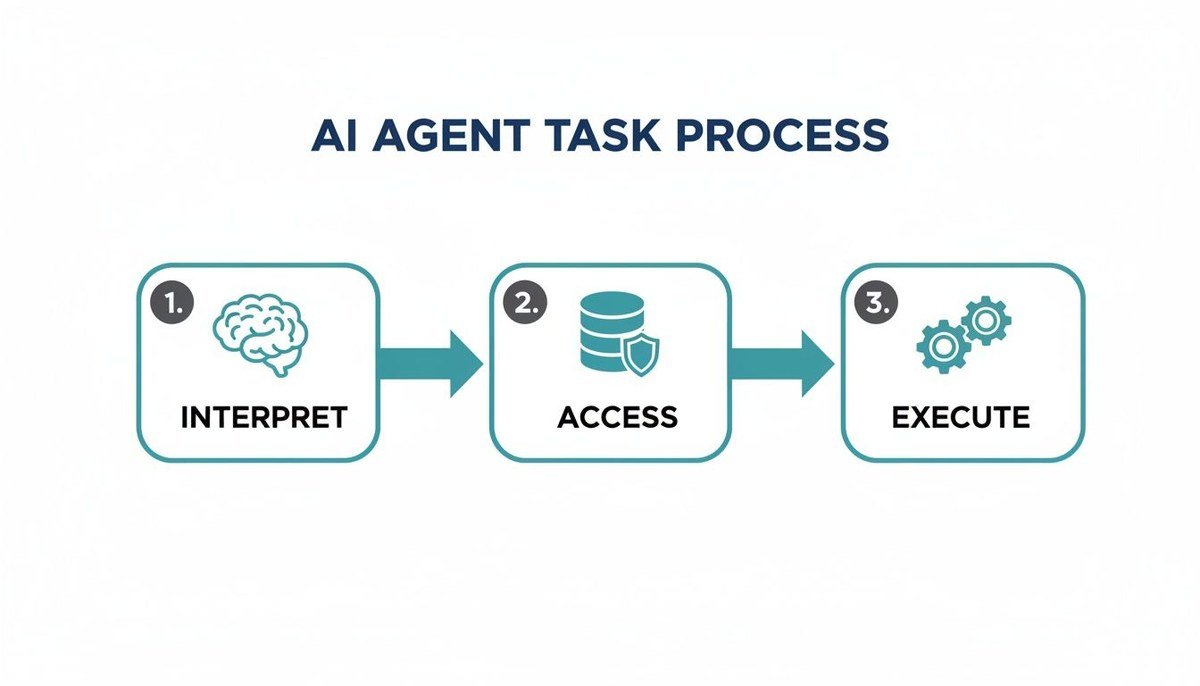
How AI Agents Use Tools to Complete Tasks Effectively
AI agents use tools by connecting a language model to external functions like search, code execution,,and APIs. The model decides which tool fits the task, calls it,,observes the result,,and iterates until the job is done.
Understanding how ai agents use tools to complete tasks is the key difference between a chatbot that suggests answers and a system that actually gets things done. In 2026, tool-using agents have moved from experimental demos to practical business tools, but knowing how they work underneath matters before you rely on one.
This guide explains the mechanics of tool use, what to look for, where agents shine, and where they still need human supervision. You will also find practical steps for evaluating whether an agent is worth the investment.
- Tool use is the core difference: Agents act on the world by calling external functions,,not just generating text.
- Function calling drives execution: The model outputs a structured request,,and the system runs the actual tool safely.
- Guardrails are non-negotiable: Permissions, sandboxing,,and audit logs prevent small mistakes from becoming big incidents.
- Start small,,measure often: Pilot one low-risk task,,track cost per task,,and scale only after the agent proves reliable.
- Human oversight remains essential: Approval steps for irreversible actions keep agents useful without making them dangerous.
What Are AI Agents and How Do They Use Tools?
Defining AI Agents in the 2026 Landscape
An AI agent is a software system that uses a large language model as its decision-making core, but unlike a simple chatbot, it can take actions in the world. It receives a goal, breaks it into steps, chooses from available tools, executes them, and adjusts based on results. In the 2026 landscape, agents are more reliable and more specialized than earlier generations, yet they still depend heavily on how well they are designed and constrained. For a more basic overview, see our article explaining what is an AI agent in simple words.
The Tool-Use Paradigm: From Chatbots to Action-Takers
A standard chatbot generates text based on its training data. It cannot check a live database, send an email, or update a spreadsheet. A tool-using agent can do all of those things because it connects to external software through tools. A tool might be a web search API, a code interpreter, a database query function, a calendar API, or a custom internal system. The agent decides which tool fits the task, calls it with the right arguments, receives the result, and then decides what to do next. That loop is what turns a language model into an action-taker.
The Core Mechanics: How AI Agents Select and Execute Tools
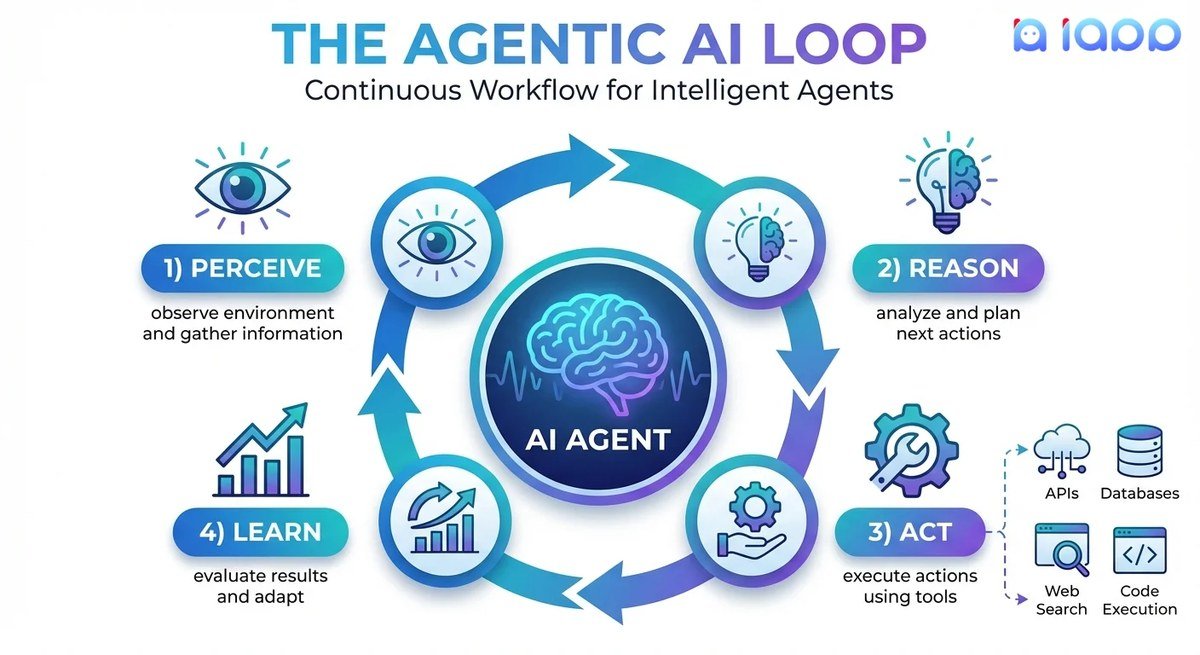
Flowchart showing an AI agent selecting and executing a tool to complete a task.
Understanding the Agent-Tool Interface and Function Calling
The most common technical mechanism is called function calling, sometimes called tool calling. The developer defines each tool as a structured description: its name, what it does, and the parameters it accepts. When the user asks something, the model outputs a structured request that names a tool and supplies the arguments. The system running the agent validates the request, executes the actual function, and sends the output back to the model. The model then uses that output to craft its final answer or to call another tool. This separation between “deciding” and “doing” is what makes the process safe enough to control.
The Decision Pipeline: From User Intent to Executed Action
Every tool-using task follows a similar pipeline, even if the underlying framework hides the details. Understanding these steps helps you spot where things can go wrong and what to monitor.
The agent analyzes the user’s goal and identifies what information or action is needed. It may ask a clarifying question if the request is ambiguous.
The agent reviews available tools and chooses the one whose purpose best matches the task. It may break the task into subtasks that require multiple tools in sequence.
The system runs the chosen function, captures the output, and returns it to the model. The agent checks whether the result makes sense or whether another tool call is needed.
The agent repeats the cycle, adjusting its plan based on new information, until it reaches a stopping point or asks for help.
Orchestration Frameworks and Tool-Use Protocols
Most production agents are not built from scratch. Developers use orchestration frameworks that handle the loop: calling the model, executing tools, managing memory, and retrying failures. These frameworks also support standardized tool protocols, so a single agent can connect to web search, internal APIs, and databases without custom code for each one. The quality of the framework matters less than the quality of your tool definitions and the guardrails you put around them.
Key Capabilities to Look For in Tool-Using AI Agents
Tool Discovery, Selection Accuracy,and Error Handling
A well-designed agent can see a list of available tools with clear descriptions and choose the right one. Look for systems that explain why they selected a tool and that handle errors gracefully. If a tool fails, does the agent retry, try a different approach, or ask for help? Good error handling prevents small failures from becoming costly dead ends.
Memory, Context Retention, and Multi-Step Planning
Agents need memory to handle tasks with multiple steps. Short-term memory keeps the current conversation and intermediate results; long-term memory stores user preferences, past decisions, and project context across sessions. Multi-step planning means the agent can break a complex goal into a sequence, execute it in order, and revisit the plan when new information arrives. Without these, an agent may repeat steps or lose track of what it already did.
Security, Permissions, and Sandboxing Essentials
Tool access is a security boundary. A well-built agent should run with the least privilege necessary: it can read certain data but not delete it, it can send emails only after approval, and it cannot access systems outside its sandbox. Audit logs should record every tool call so you can review what happened. If you are connecting AI tools to personal or company data, review the privacy practices of both the agent platform and the tools themselves. Our guide on how to protect privacy when using AI tools covers the key questions to ask before you grant access.
Practical Use Cases: How AI Agents Apply Tools Across Industries<
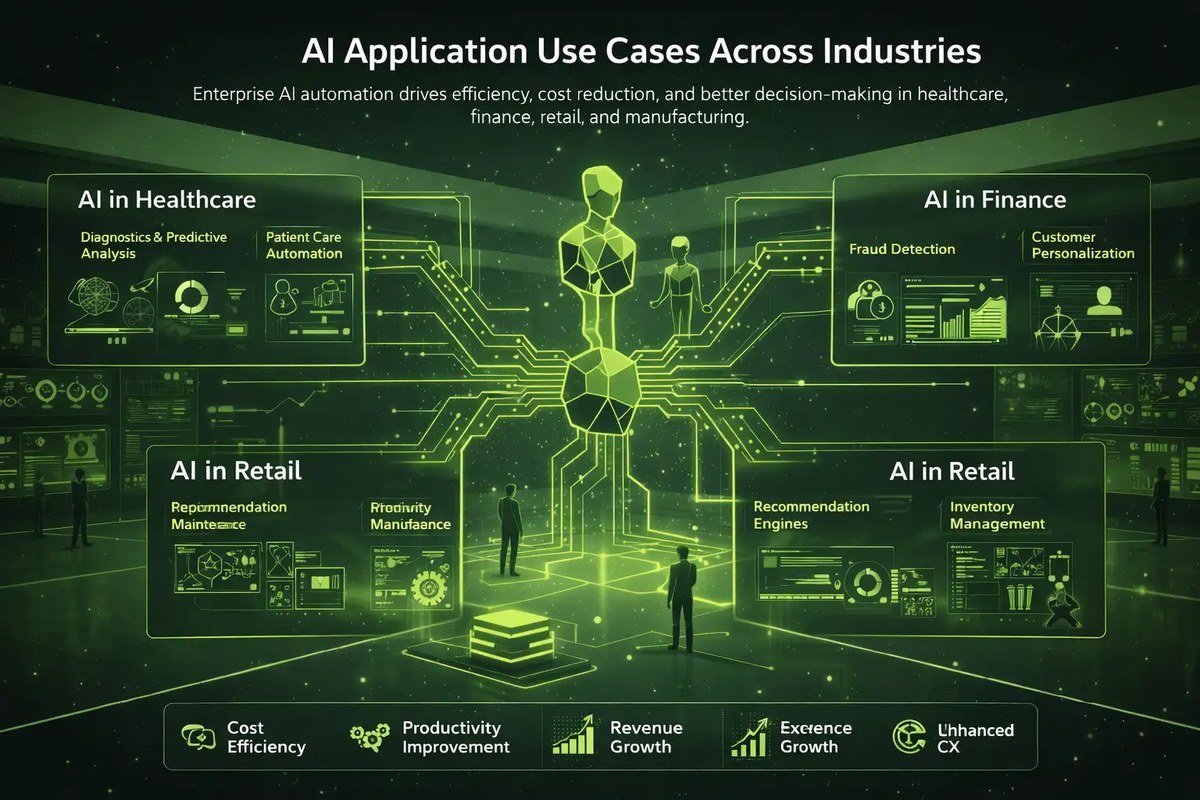
An AI agent dashboard displaying tool integrations across multiple industries.
An AI agent dashboard displaying tool integrations across multiple industries.
Business Operations and Workflow Automation
In business operations, agents handle repetitive workflows like routing support tickets, updating CRM records, generating status reports, and summarizing meeting notes. They do not replace judgment, but they remove the friction of moving data between systems. For a broader look at how this plays out, see our explainer on what is AI automation in simple words. The biggest wins come when the underlying processes are already clear and stable; an agent cannot fix a chaotic workflow, it will just execute it faster.
Software Development and Data Analysis
Developers use agents to write code, run tests, search documentation, and fix compilation errors. Data analysts use them to query databases, clean datasets, generate charts, and explain anomalies. These are strong use cases because the tools are digital, the success criteria are clear, and a human can review the output. Still, code and analysis produced by an agent should be treated as a draft, not a final product.
Personal Productivity and Everyday Task Assistance
For individuals, agents can manage calendars, draft emails, research topics, compare products, and create shopping lists. They are useful when connected to your email, calendar, and notes, but that access comes with privacy trade-offs. Start with low-stakes tasks and gradually expand permissions as you learn how the agent behaves. This is one of the more visible ways AI is changing everyday life, but it is also where over-trust causes the most problems.
| Use Case | Typical Tools | Human Role |
|---|---|---|
| Business operations | CRM APIs, email, spreadsheets | Approve external sends, review exceptions |
| Software development | Code interpreter, git, test runners | Review code, run security checks |
| Data analysis | SQL queries, Python, chart libraries | Validate assumptions, check data quality |
| Personal productivity | Calendar, email, web search | Confirm calendar invites,, proofread messages |
Benefits of Tool-Using AI Agents: Why They Matter
Efficiency Gains and Reduced Human Workload
The main benefit is that the agent handles the tedious parts of a task: gathering data, formatting it, and moving it between systems. A human can then focus on decisions, creative work,, and exceptions. The efficiency gain depends on task frequency and complexity. A task you do once a month may not be worth automating; a task you do fifty times a day might be.
Consistency, Scalability,,and 24/7 Availability
Agents follow the same process every time, which reduces the variability of human fatigue. They can handle multiple requests in parallel and run outside business hours. But “always available” also means “always able to make mistakes,” especially at 3 a.m. without supervision. That is why scaling an agent requires scaling your monitoring, not just your compute.
Limitations and Common Mistakes to Avoid
Hallucinated Tool Calls and Over-Trusting Agent Outputs
A language model can invent a tool call, choose a plausible-sounding but wrong function, or misinterpret the result. This is sometimes called a hallucinated tool call. The danger is not just a wrong answer; it is a wrong action, like sending an email to the wrong person or deleting a record. Always design agents to confirm high-impact actions,,and log everything for review.
Poor Tool Design and Insufficient Guardrails
If a tool’s description is vague, the agent will misuse it. If a tool has no input validation, it may pass bad arguments. If an agent has access to more systems than necessary, a small mistake becomes a big incident. Guardrails include permission levels, approval steps, rate limits,,and output validation. They are not optional add-ons;;they are the main safety mechanism.
Ignoring Cost, Latency,,and API Rate Limits
Tool-using agents call the language model multiple times per task,,and each call costs tokens. External APIs also cost money,,and have rate limits. A single “simple” task can trigger ten or more model calls if the agent has to plan, call a tool, analyze the result,,and call another tool. Latency compounds too;;each round trip adds seconds. Before deploying, estimate the cost per task,,and compare it to the time saved. Current pricing varies by provider,,and plan, so confirm the latest rates with your vendor.
Best Practices for Maintaining and Optimizing AI Agent Performance
Monitoring, Logging,,and Continuous Evaluation
You cannot improve what you do not measure. Log every tool call, including the input, output, latency,,and whether it succeeded. Track metrics like task completion rate, error rate,,and average cost per task. Review logs regularly to spot patterns::is the agent always choosing the wrong tool for a certain request? Is a particular API failing often? Use those insights to refine the system.
Iterative Tool Refinement and Prompt Engineering
Tool definitions should be treated as living documentation. If the agent frequently picks the wrong tool, rewrite the description to be clearer, add examples of when to use it,,or split it into two more specific tools. Similarly,,the system prompt should state the agent’s role, boundaries,,and preferred behavior. Small wording changes often have a large effect on tool selection accuracy. Test changes on a small set of tasks before rolling them out broadly.
Human Oversight and Fail-Safe Mechanisms
For high-stakes actions, require human approval before the agent executes. Build fail-safes like read-only modes, dry-run options,,and automatic rollback where possible. Define what happens when the agent is uncertain::it should ask for clarification rather than guess. A human-in-the-loop design is not a sign of weakness;;it is how you get the reliability needed for real work.
- Start with low-risk, read-only tools
- Log and review every tool call
- Require approval for irreversible actions
- Giving the agent unrestricted access to sensitive systems
- Letting it act on ambiguous instructions without asking
- Skipping cost estimates because a demo worked once
Value Assessment and Final Recommendation
Weighing the Investment: Cost vs. Productivity Gains
Before adopting an agent, count all costs:model API fees, tool subscriptions, engineering time,,and ongoing monitoring. Then estimate the value::time saved per task, fewer manual errors,,and faster turnaround. Start with a pilot::pick one repetitive task, measure current time,,and error rate, deploy the agent, measure again. If it does not clear a meaningful threshold, move on. Avoid measuring only “coolness.”
- Pick one repetitive, low-risk task with clear inputs,,and outputs.
- Confirm the necessary APIs,,and data access exist,,and are stable.
- Set a budget for model calls,,and external API usage.
- Define success metrics like time saved or error rate reduction.
- Plan human review for high-impact actions.
Who Should Adopt Tool-Using AI Agents in 2026
Tool-using agents make sense for teams that already have clear, repetitive digital workflows,,and enough engineering support to monitor them. They are also useful for developers,,and analysts who can evaluate outputs critically. They are less useful for organizations with messy data, no API access,,or no willingness to maintain the system. In 2026,,the sweet spot is mid-size teams with internal tools,,not hobbyists expecting magic.
Final Verdict: Proceed with Strategy, Not Hype
- Tool use is what turns an AI model into an action-taking agent,,but it requires structured tool definitions,,and a decision loop.
- Start small with low-risk tools,,log everything,,and require human approval for irreversible actions.
- Measure cost per task,,and completion rate before scaling;;agents are not free labor.
- Adopt agents where workflows are stable,,and tools are well-defined,,not because agents are trending.
The practical answer is clear::use tool-using AI agents where they reliably save time,,and you can supervise them. Build guardrails,,monitor behavior,,and refine tool descriptions iteratively. Done that way,,they are one of the most useful automation tools of 2026. Done carelessly,,they are an expensive way to automate mistakes. Proceed with strategy,,not hype.
Frequently Asked Questions




One Comment