What is AI Automation in Simple Words The Ultimate Guide
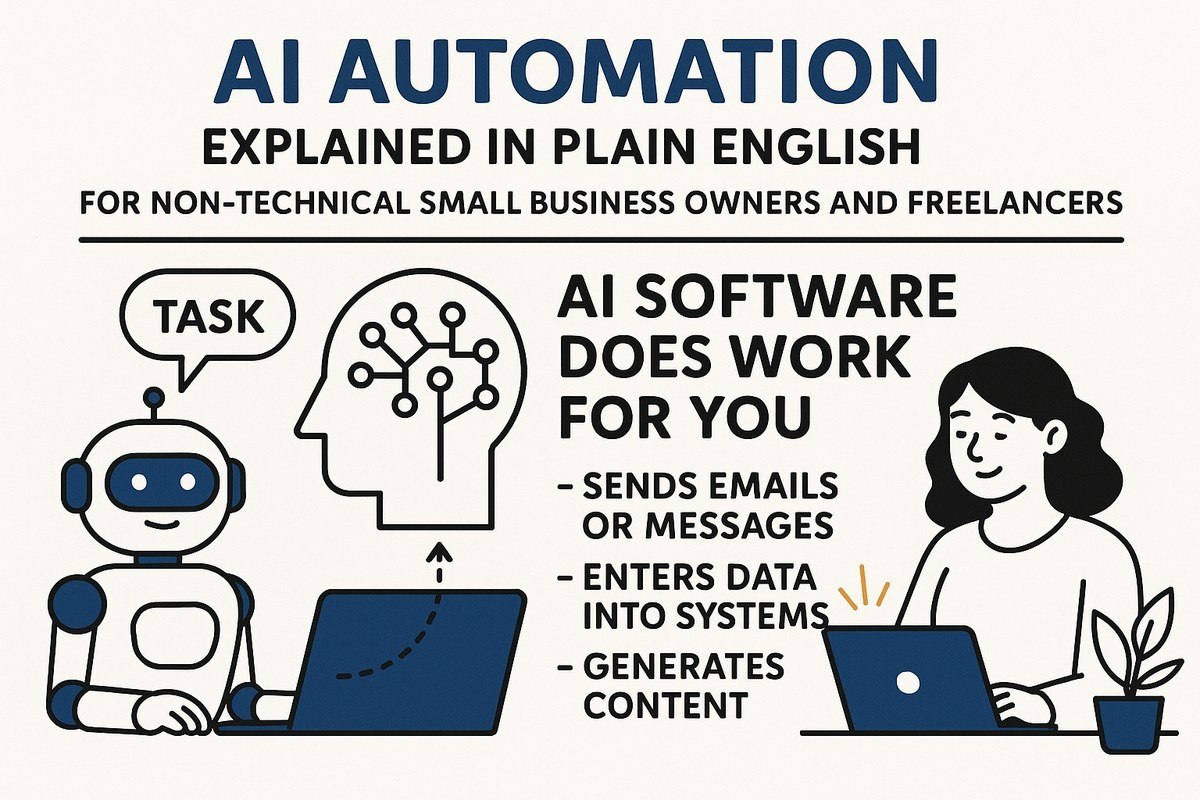
AI automation is simply using artificial intelligence to handle repetitive tasks that normally require human effort, like sorting emails or answering common questions, without needing constant human oversight. It works by learning patterns from data and then making decisions or taking actions automatically, saving time and reducing errors in everyday business processes.
If you’ve ever wondered how your email provider filters out spam, how a website chatbot answers your question at 2 a.m., or how an app turns a photo of a receipt into a spreadsheet row, you’ve already seen AI automation in action. This guide explains what AI automation is in simple words, how it works, what it can and can’t do, and how you can start using it without a technical degree.
- Core Definition: AI automation combines artificial intelligence with automation to handle tasks that typically require human.
- Simple Analogy: Think of it as a smart assistant that not only follows rules but learns.
- Key Benefits: It boosts efficiency, reduces errors, and frees up human workers for more creative and.
- Real-World Applications: Used in customer service (chatbots), data analysis, marketing, and manufacturing to streamline operations.
- Getting Started: Businesses can start small by identifying repetitive tasks, choosing the right tools, and scaling.
What Is AI Automation in Simple Words?
AI automation means using artificial intelligence to complete tasks automatically — tasks that used to require a human to think, make a judgment call, or take an action. The key word is “automatically.” Once the system is set up, it runs on its own, and it can handle situations that don’t follow a fixed pattern.
To understand the difference, think about a vending machine. It follows a simple rule: you insert coins, press a button, and it drops a snack. That’s traditional automation. Now imagine a machine that can look at a messy pile of returned items, decide which ones are damaged, figure out which shelf they belong on, and restock them — without a human telling it what to do each time. That’s AI automation.
In even simpler terms: traditional automation follows instructions. AI automation learns from examples and then makes decisions on its own.
The term “artificial intelligence” was coined in 1956 at the Dartmouth Summer Research Project, where researchers first proposed that machines could be built to simulate human learning and intelligence. The idea of AI-powered automation has been evolving ever since.
If you want a broader refresher on the core idea behind all of this, our guide to what is artificial intelligence in simple words walks through the basics without the jargon.
How Does AI Automation Work?
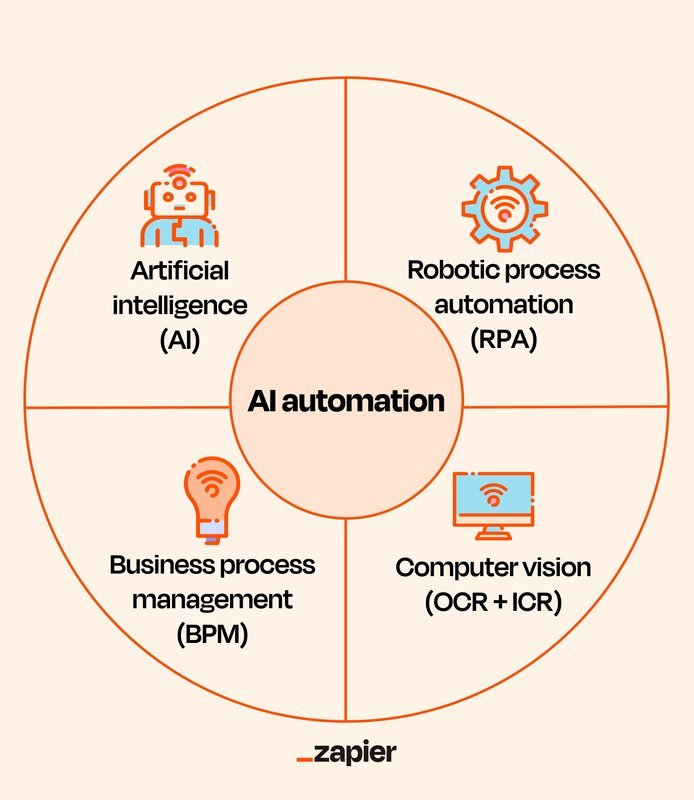
Flowchart illustrating how AI automation processes data to make decisions.
You don’t need to understand the math to understand the logic. AI automation works in three basic stages:
- Learning from examples. The AI is trained on lots of data — emails, images, customer messages, sales records, or whatever the task involves. It finds patterns in that data.
- Making a prediction or decision. When new information arrives, the AI compares it to the patterns it learned and decides what it likely is or what should happen next.
- Taking action. The system triggers a response — sorting an email, drafting a reply, flagging a transaction, updating a record — without a human clicking a button.
The engine behind most of this is machine learning, which is how AI systems improve at tasks as they see more examples. If you’d like a deeper dive, our explainer on what is machine learning in simple terms breaks it down further.
AI Automation vs. Traditional Automation
People often use the word “automation” for both, but there’s a real difference. Here’s a side-by-side look:
| Type | How It Works | Best For | Example |
|---|---|---|---|
| Traditional automation | Follows fixed, pre-programmed rules | Predictable, repeatable tasks | Sending a reminder email when a form is submitted |
| AI automation | Learns patterns from data and adapts | Messy, changing, or judgment-based tasks | Reading a customer’s angry email and escalating it to the right team |
Traditional automation breaks when the situation changes. AI automation is designed for situations where there’s no single correct answer — where a human would normally have to read, interpret, and decide.
The Main Types of AI Automation<

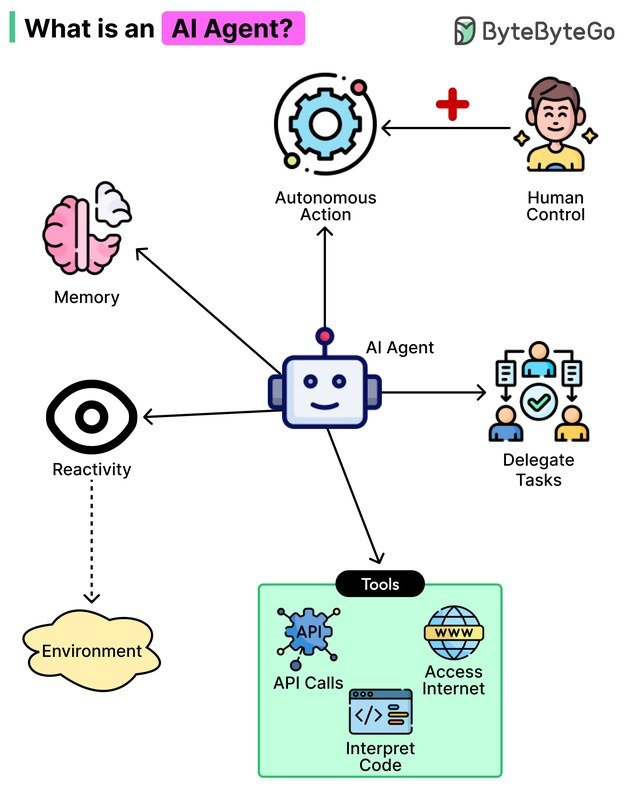
Infographic illustrating the main types of AI automation and their relationships.
Infographic illustrating the main types of AI automation and their relationships.
Not all AI automation looks the same. Here are the four types you’re most likely to encounter:
1. Machine Learning Automation
This is the most common type. The system learns patterns from historical data and uses them to classify, predict, or flag. Spam filters, fraud detection, and recommendation engines all work this way.
2. Generative AI Automation
Instead of just classifying or predicting, generative AI creates new content — text, images, summaries, code, or drafts. Examples include tools that write email replies, summarize long documents, or generate product descriptions.
3. Intelligent Document Processing
This type reads documents — invoices, contracts, forms, handwritten notes — and pulls out the important information. It combines text recognition with language understanding, which is why it can handle messy real-world documents.
4. AI Agents
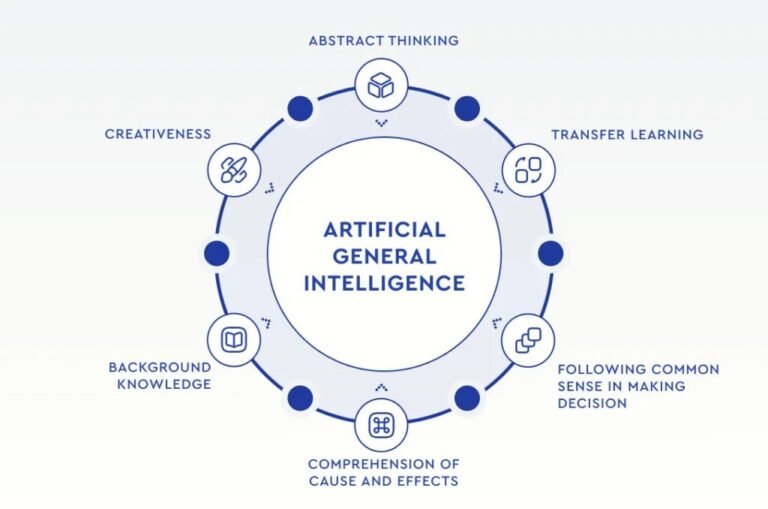
AI agents are the newest and most ambitious type. They don’t just complete one task; they plan a series of steps, use tools, and work toward a goal on their own. For example, an AI agent might research a topic, draft a report, and send it to the right person — all without being told each step. If this sounds interesting, our article on what is an AI agent in simple words explains the difference between an agent and a simple chatbot.
Real-World Examples You’ve Probably Seen
AI automation isn’t a futuristic concept. It’s already embedded in tools people use every day:
- Email spam filters — they learn which messages look like spam and move them automatically.
- Customer service chatbots — they answer common questions, look up order status, and route complex issues to humans.
- Calendar scheduling — AI assistants find free time slots, propose meeting times, and send invites.
- Expense and invoice processing — apps read receipts, categorize expenses, and prepare reports.
- Content drafting — writing tools generate first drafts of emails, social posts, or summaries that humans then review.
- Recommendation engines — streaming services and online stores suggest what to watch or buy based on your patterns.
These tools are quietly becoming part of daily routines. Our overview of how AI is changing everyday life looks at the broader picture beyond just automation.
When you evaluate an AI automation tool, ask one question: “Can the system explain what it did and why?” Tools that provide a clear audit trail are much easier to trust and correct when something goes wrong.
The Benefits of AI Automation
There’s a reason businesses and individuals are adopting AI automation so quickly. When applied to the right tasks, it offers real advantages:
- Saves time on repetitive tasks that don’t require deep human judgment
- Works around the clock without breaks or slowdowns
- Reduces errors caused by fatigue or distraction
- Handles large volumes of work that would overwhelm a person
- Frees people to focus on creative, strategic, or relationship-based work
- Needs good, clean data to learn from — poor data leads to poor results
- Can make confident mistakes, especially with generative AI
- Requires setup, monitoring, and maintenance
- Raises privacy concerns when handling sensitive information
- Can feel impersonal when used in customer-facing situations
Common Challenges and Limitations
AI automation is powerful, but it’s not magic. Knowing its limits helps you use it wisely.
Garbage In, Garbage Out
An AI system learns from the data it’s given. If that data is incomplete, biased, or full of errors, the automation will reproduce those problems at scale. The system isn’t being stubborn — it’s just repeating what it learned.
Confident Mistakes
Generative AI tools can produce answers that sound perfectly reasonable but are completely wrong. This is often called a “hallucination.” That’s why human review matters, especially for anything that goes to customers or affects important decisions.
Privacy and Security
Automation often means sending data to cloud-based AI services. If the data includes customer information, financial records, or medical details, you need to know where it’s stored and who can access it.
Setup Costs
Building custom AI automation can require data preparation, software licenses, and technical expertise. The cost varies widely depending on the complexity of the task and the size of the organization.
Pricing for AI automation tools varies significantly by provider, feature set, and usage volume. Some tools offer free tiers for small-scale use, while enterprise systems can cost thousands per month. Always confirm current pricing and data policies before committing to a tool.
How to Get Started with AI Automation
You don’t need to automate everything at once. In fact, starting small is the smartest approach. Here’s a simple path:
Choose something you do regularly that follows a pattern — sorting emails, writing status updates, categorizing expenses, answering the same questions.
Collect the inputs and outputs you’d want the AI to learn from. The more examples, the better the system will perform.
Start with an existing product rather than building something from scratch. Many customer service, email, and document tools now include built-in AI features.
Run the automation on real examples and check the outputs carefully. Fix mistakes and adjust the instructions or data.
For important tasks, set up a review step where a person approves or corrects the AI’s work before it goes out.
- Start with low-risk tasks like drafting summaries or sorting files before automating anything customer-facing.
- Keep a human in the loop for anything involving money, legal decisions, medical information, or public communication.
- Document what the automation does and when it was last reviewed so you can troubleshoot later.
The Future of AI Automation
AI automation is moving in a clear direction: from single tasks to entire workflows. Instead of one tool sorting your email and another drafting your replies, you’ll see AI agents that handle the whole process — reading messages, deciding what’s important, drafting responses, and updating your calendar — all in one flow.
At the same time, there’s growing attention on oversight. Governments and companies are developing rules about transparency, data privacy, and accountability. The tools that succeed will likely be the ones that explain their decisions clearly and let humans stay in control.
For everyday users, the practical takeaway is simple: AI automation works best when it handles the repetitive parts of a task and leaves the judgment calls to you.
- AI automation uses artificial intelligence to complete tasks automatically, learning from data instead of following fixed rules.
- It powers everyday tools like spam filters, chatbots, scheduling assistants, and document processors.
- The main types include machine learning automation, generative AI, intelligent document processing, and AI agents.
- Benefits include saved time, fewer errors, and 24/7 availability; limitations include data quality issues, confident mistakes, and privacy concerns.
- Start small, review outputs, and keep human checkpoints for anything important.
AI automation doesn’t have to be intimidating. Once you understand the basic idea — machines learning from examples and then acting on their own — you can spot it in the tools you already use, and you’ll be better prepared to decide where it can genuinely help you.
Frequently Asked Questions





2 Comments