What Is a Phishing Attack in Simple Words for Everyone
Phishing is a cyberattack where criminals impersonate a trusted person or company to trick you into revealing passwords, financial details, or personal data. It usually arrives as a fake email, text, or website designed to make you act fast without thinking.
If you want to understand what is phishing attack in simple words, start with one basic idea: it’s a digital con game built on fake trust. A scammer sends a message that appears to come from your bank, your boss, or a delivery service, hoping you’ll click a link, enter a password, or send money. Phishing is one of the oldest tricks online, yet it keeps working — and attacks have only grown more convincing as artificial intelligence makes fake messages harder to tell apart from real ones.
- Definition: Phishing is a digital con game that uses fake messages from trusted sources to.
- Tactics: Attackers exploit urgency, fear, trust, and curiosity to make you click before you think.
- Types: Email phishing, spear phishing, whaling, smishing, vishing, and business email compromise are the most.
- Defense: Multi-factor authentication, password managers, software updates, and the pause-and-verify habit block most attacks.
- Response: If you fall for phishing, change passwords immediately, enable MFA, contact your bank, and.
What Is a Phishing Attack in Simple Words?
The Plain-English Definition of Phishing
Phishing is a cyberattack in which criminals impersonate a trusted person, company, or institution to trick you into revealing sensitive information — passwords, credit card numbers, bank details, or personal data. The name is a spin on “fishing”: attackers cast a baited hook (a fake email, text, or website) and wait for someone to bite. The bait usually takes one of two forms: a promise of something good (a refund, a prize, a job offer) or a threat of something bad (account suspension, missed delivery, legal action). Either way, the goal is the same — to get you to act without thinking.
Why Phishing Works: The Psychology of Trust and Urgency
Phishing doesn’t break computers; it breaks judgment. Attackers exploit emotional shortcuts that all humans share:
- Trust: The message appears to come from a familiar brand, colleague, or government agency.
- Urgency: “Your account will be locked in 24 hours” pushes you to act before you verify.
- Authority: Messages from “IT Support” or “HR” are hard to question.
- Curiosity: “You’ve been mentioned in a document” makes you want to look.
- Fear: Threats of fines or data loss override careful thought.
Legitimate companies rarely use these tactics, which is exactly why they work so well. When a message feels familiar and presses the right emotional button, most people click first and question later. This is also why phishing remains one of the most effective entry points for larger attacks.
How a Phishing Attack Actually Works: Step by Step

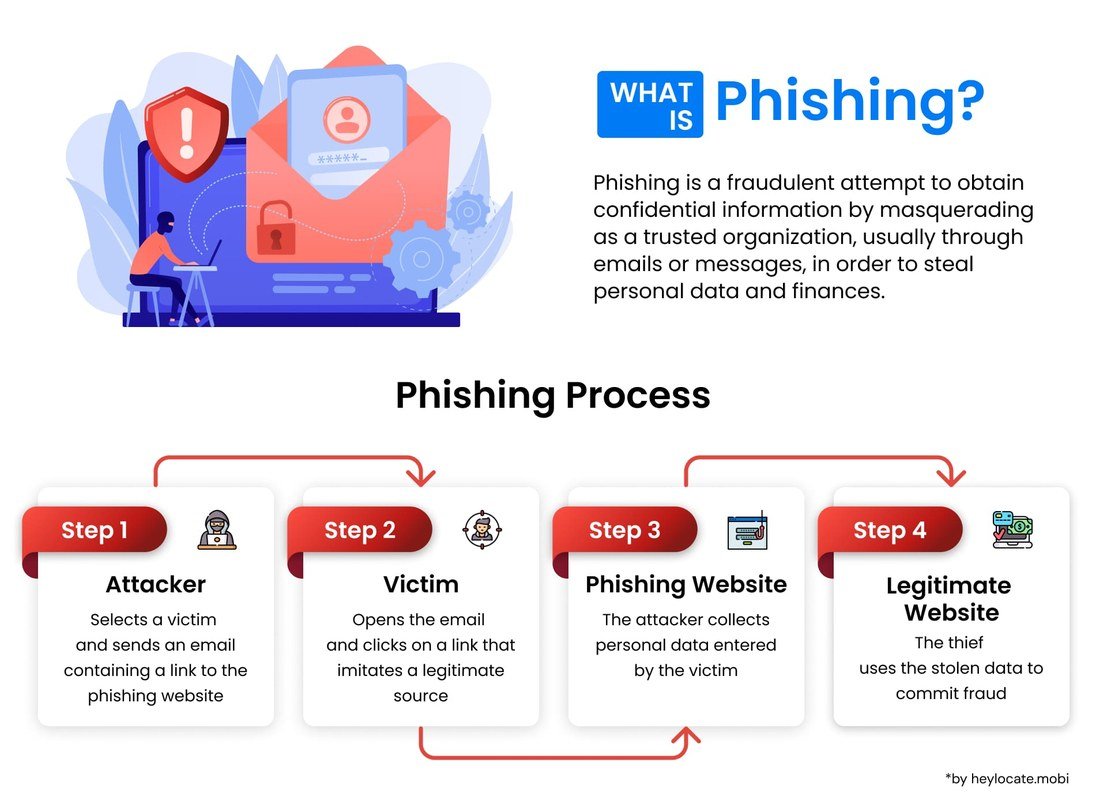
A step-by-step diagram illustrating how a phishing attack unfolds.
The Setup: Crafting the Fake Message or Website
Every phishing attack starts with a disguise. For mass campaigns, attackers clone a well-known brand’s email — logo, colors, and wording included — so it looks identical to a legitimate message. For targeted attacks, they research the victim through social media, company websites, and data breaches to make the message feel personal. The fake website is usually a near-perfect copy of a real login page, hosted on a lookalike domain such as “amaz0n-login.com” or “paypa1-security.com.”
The Hook: Getting You to Click or Reply
The message lands in your inbox or on your phone with a clear call to action: “Verify your account,” “Track your package,” “Claim your refund,” or “Review the attached invoice.” If you click the link, you’re taken to the fake login page. Enter your username and password, and the attacker captures them instantly. Some attacks skip the website entirely and simply ask you to reply with sensitive information, purchase gift cards, or wire money.
The Payload: What Happens After You Take the Bait
Once the attacker has your credentials, they can log into your real accounts, change the password to lock you out, and search for saved payment methods or personal documents. Your email account is especially valuable because it’s the key to resetting passwords for your other accounts. In business settings, a single stolen login can lead to fraudulent wire transfers or a company-wide data breach. Often, attackers don’t act immediately — they quietly gather information for weeks to maximize the damage.
The attacker creates a fake message or website that mimics a trusted brand, person, or institution.
The message pushes you to click a link, open an attachment, reply with data, or send money.
Once you take the bait, the attacker uses your stolen information to access accounts, lock you out, or commit fraud.
The Most Common Types of Phishing Attacks in 2026
Email Phishing: The Classic Mass-Market Scam
Email phishing is the original and still the most common form. Attackers send the same fake message to thousands of addresses at once, impersonating a major brand like a bank, delivery service, or streaming platform. It’s a numbers game: even a tiny click rate produces a profit. Because these messages are mass-produced, they often contain generic greetings and minor flaws that make them easier to spot — though generative AI tools are quickly closing that gap.
Spear Phishing and Whaling: Targeted Attacks on Individuals and Executives
Spear phishing is the personalized version. The attacker uses your real name, job title, employer, or recent activity to make the message convincing. Whaling is spear phishing aimed at the biggest fish — executives, finance managers, and anyone with access to large sums of money. These attacks are carefully researched and often involve fake invoices, urgent payment requests, or legal threats designed to pressure a busy decision-maker.
Smishing and Vishing: Phishing via Text Messages and Phone Calls
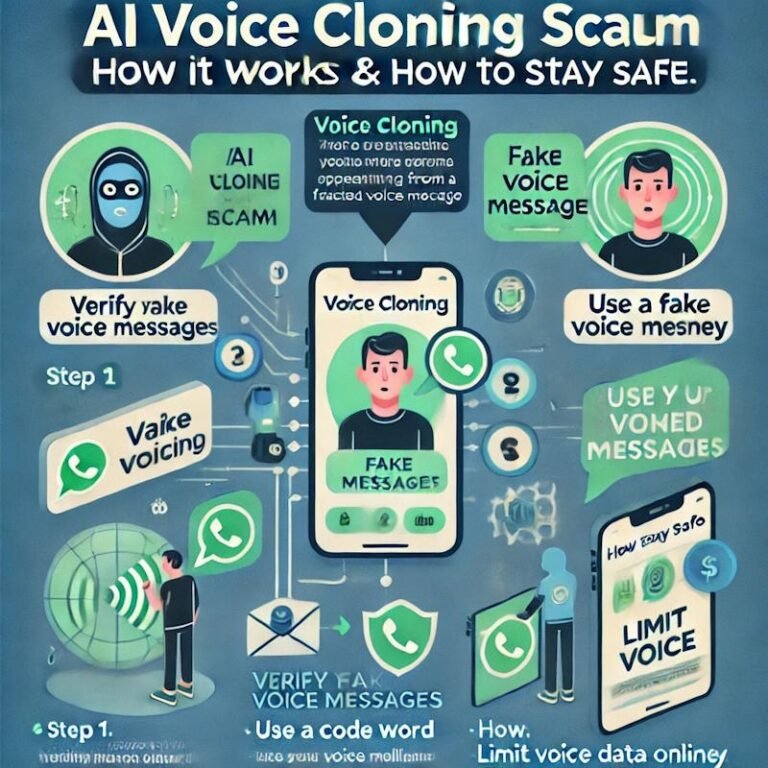
Smishing is phishing through SMS text messages. A typical text claims your package is stuck, your account is compromised, or you’ve won a reward, and includes a link that leads to a fake login page. Vishing is voice phishing — a phone call from someone pretending to be your bank’s fraud department, tech support, or a government agency. These methods are growing because people tend to trust texts and calls more than email, and phone numbers are easy to spoof.
Clone Phishing and Business Email Compromise
Clone phishing takes a legitimate email you’ve received before and resends a nearly identical copy, but with the original links or attachments replaced by malicious ones. Because the message looks like something you’ve already seen, you’re more likely to trust it. Business email compromise (BEC) is a sophisticated scam in which attackers impersonate a company executive, vendor, or partner to trick employees into transferring money or sharing confidential data. BEC attacks are particularly dangerous because they don’t rely on malware — just convincing impersonation.
How to Spot a Phishing Attack: Key Warning Signs

Warning signs of a phishing attack displayed in an illustrative guide.
Red Flags in the Message Content and Tone
Look for these signs in the text of any unexpected message:
- Generic greetings like “Dear customer” or “Dear user” instead of your name.
- Awkward grammar or odd phrasing (though AI-generated messages are making this less reliable).
- A tone of urgency or fear: “Your account will be suspended,” “Immediate action required.”
- Requests for information a legitimate company would already have: passwords, PINs, full card numbers.
- Offers that seem too good to be true: unexpected refunds, prizes, or work-from-home jobs.
Red Flags in the Sender’s Address and Embedded Links
The display name can say anything — the actual email address is what matters. Check that the domain after the @ matches the company’s real domain. Hover over any link before clicking to see the true destination; if the address looks like a jumble of characters or a misspelled brand name, don’t click. Be suspicious of unexpected attachments, especially .zip, .docm, .exe, and .scr files.
Red Flags in the Actions You’re Asked to Take
Legitimate organizations almost never ask for your password, one-time login code, or full credit card number in an email, text, or phone call. They also don’t demand payment by gift card, wire transfer, or cryptocurrency. If the requested action feels unusual, irreversible, or secretive — like “don’t tell anyone about this” — it’s almost certainly a scam.
When in doubt, don’t click — type the company’s website address directly into your browser or use their official app. Legitimate organizations will never punish you for verifying.
What to Do If You Fall for a Phishing Attack
Immediate Steps to Limit the Damage
If you realize you’ve clicked a phishing link or entered information on a fake site, act quickly:
- Change your passwords immediately, starting with email and banking — but use a different, trusted device if possible.
- Enable multi-factor authentication on any account you may have compromised.
- Contact your bank or credit card company if you entered payment details.
- Run a security scan on your device if you downloaded an attachment.
- Check your accounts for unusual activity over the next few weeks.
- Let the real company know — they may be able to flag your account.
How to Report the Attack to the Right Authorities
Reporting a phishing attack helps protect other people. Use your email provider’s “Report phishing” option so the message can be filtered for everyone. In the United States, report to the FTC at ReportFraud.ftc.gov and the FBI’s Internet Crime Complaint Center at ic3.gov. In the United Kingdom, report to Action Fraud; in Australia, use ReportCyber; other countries have similar national reporting centers. If the attack happened at work, tell your IT or security team immediately — they need to know before the attacker moves further into company systems.
Never try to confront the scammer, “hack back,” or pay a ransom to recover your data. These actions usually make the situation worse and can put you at further risk.
How to Protect Yourself and Your Family: Practical Prevention Tips
Essential Security Habits for Everyday Online Activity
Protection starts with simple habits. Slow down: phishing depends on speed, and a 30-second pause can save you a lot of trouble. Verify through official channels: if a message claims to be from your bank, call the number on your card or log in by typing the bank’s website address yourself — never use the link in the message. Keep separate email addresses for financial accounts and for shopping or social media. Talk to family members about common scams; older adults and teenagers are often the most vulnerable. And never reuse passwords across important accounts. Modern spam filters already rely on machine learning to catch many threats before you ever see them, but they’re not perfect — your own caution is the final layer.
Useful Tools and Settings: Multi-Factor Authentication, Password Managers, and Updates
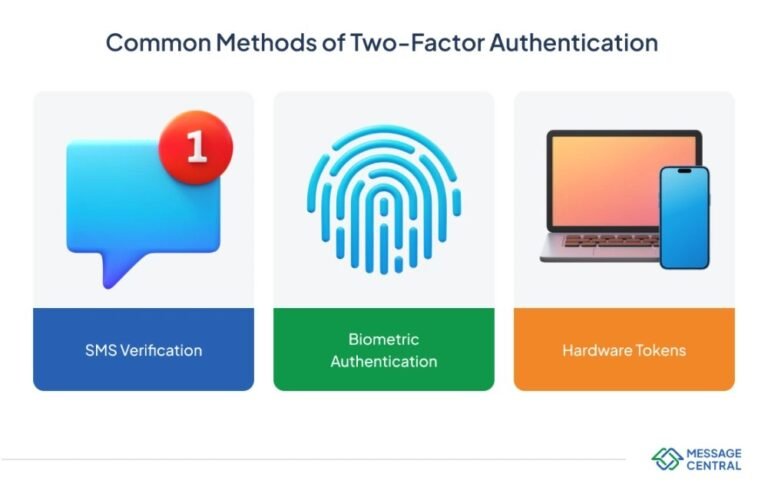
Enable multi-factor authentication on every account that supports it. Even if a phisher steals your password, MFA can block them from getting in. Use a password manager to create and store unique passwords for each account; a good password manager also refuses to autofill on lookalike domains, which is a built-in phishing detector. Keep your phone, computer, and apps updated — security patches close the exact vulnerabilities attackers use to install malware. Finally, turn on your email provider’s spam filtering and report phishing messages when you spot them.
- Multi-factor authentication enabled on email, banking, and social accounts
- Unique passwords stored in a password manager
- Software and apps updated on all devices
- Family members briefed on common scam tactics
- A habit of verifying unexpected messages through official channels
Common Mistakes People Make That Lead to Phishing Success
Overconfidence: Believing “It Won’t Happen to Me”
The most dangerous attitude is thinking you’re too smart to fall for phishing. Security professionals fail simulated phishing tests all the time, and the most convincing attacks can fool anyone. The right mindset is humility: assume any message could be fake and verify before acting. That single habit is more valuable than any security tool.
Rushing and Skipping Verification
Phishing thrives on busy days. When you’re rushing between meetings or checking email on your phone, it’s easy to tap a link that says “Your package is delayed” without looking at the sender. Make verification automatic: check the sender’s address, hover over links, and if something feels off, open a browser and go to the official website directly.
Ignoring Software Updates and Security Alerts
Skipping updates leaves known vulnerabilities unpatched — it’s like leaving your front door unlocked because the lock looks fine. Ignoring security alerts from your bank or email provider gives attackers more time to use your stolen data. Treat every security warning as a real event, not an inconvenience.
- Pause and verify the sender before clicking anything
- Use official websites and apps instead of links in messages
- Treat every security alert as a real event
- Assuming you’re too smart to be tricked
- Acting on urgent messages while multitasking
- Skipping updates and ignoring security warnings
Final Recommendation: Stay Informed, Stay Safe
The Real Value of Phishing Awareness
Phishing awareness isn’t about memorizing every new scam. It’s about building one habit: pause and verify before you click, reply, or pay. Because attackers constantly adapt — and now use AI to write more convincing messages — awareness is a continuous practice, not a one-time lesson. AI is changing everyday life in many helpful ways, but it also gives scammers new tools. The few seconds you spend checking a message could save you months of dealing with a stolen identity or a drained bank account.
A Simple Mental Checklist for Every Message You Receive
Before clicking anything, run through these five questions:
- Do I actually know this sender? Check the real email address, not the display name.
- Was I expecting this message? Unexpected links and attachments are the biggest red flags.
- Is it pressuring me to act fast? Legitimate organizations rarely create panic.
- Is it asking for something sensitive? Passwords, codes, and payment details don’t belong in messages.
- What’s the downside of verifying first? A few extra seconds is a small price compared to a compromised account.
- Phishing is a fake message that impersonates a trusted source to steal your data or money.
- It works by triggering urgency, fear, trust, and curiosity — not by breaking technology.
- Common forms include email phishing, spear phishing, whaling, smishing, vishing, and BEC.
- Spot it by checking the sender, hovering over links, and questioning urgent requests.
- Stop it with MFA, a password manager, updates, and the pause-and-verify habit.
Frequently Asked Questions



2 Comments