How Password Managers Keep Accounts Safe From Hackers
A password manager generates, encrypts, and autofills a unique password for every account, so one breached website cannot expose the rest of your logins. It also blocks common phishing attacks by autofilling only on the correct website domain.
Knowing how password managers keep accounts safe from hackers matters more than ever, because the real danger is rarely a single stolen password — it is the chain reaction that starts when one reused credential gets exposed.
Password managers replace the habit of reusing a handful of easy-to-remember passwords with a system that generates, stores, and autofills a unique password for every account. They wrap that data in strong encryption, block many phishing attempts, and reduce the mental load that pushes people toward bad password habits. This guide explains the core mechanisms, what to look for in a modern password manager, who benefits most, and the mistakes that can undermine even the strongest tool.
- Unique passwords: A good manager creates a different strong password for every site, stopping credential-stuffing attacks.
- Zero-knowledge encryption: Your vault is encrypted on your device, so the provider cannot read your stored.
- Phishing defense: Autofill only triggers on verified domains, keeping passwords out of lookalike login pages.
- MFA integration: Look for built-in one-time codes, passkey support, and hardware-key compatibility — and enable MFA.
- Master password risk: The one password you must remember is also the single point of failure; use.
How Password Managers Keep Accounts Safe: The Core Mechanisms
Strong, Unique Passwords for Every Account
The biggest security problem is not a single weak password; it is password reuse. When a website you joined years ago suffers a breach, attackers harvest the exposed email addresses and passwords, then run automated credential-stuffing tools that try those same login details on banking, shopping, and social media sites. A password manager generates a long random string for each account, so a leak at one site gives attackers nothing they can use anywhere else. Most built-in generators let you choose length and character sets, and the resulting password is saved automatically.
Encryption and the Zero-Knowledge Model
Your vault is encrypted on your device before it is synchronized to the provider’s servers. The encryption key is derived from your master password, and the provider never sees that password directly. This is the zero-knowledge model: the company stores your data but cannot read it. Even if the provider’s servers are breached, attackers find only encrypted ciphertext that is effectively useless without your master password. That single fact is why protecting the master password is the most important step in the entire system.
In a zero-knowledge password manager, even the company itself cannot reset your master password or decrypt your vault. If it could, the encryption would be of little value against a court order or a rogue employee. The key exists only on your devices.
Built-In Phishing and Credential-Theft Protection
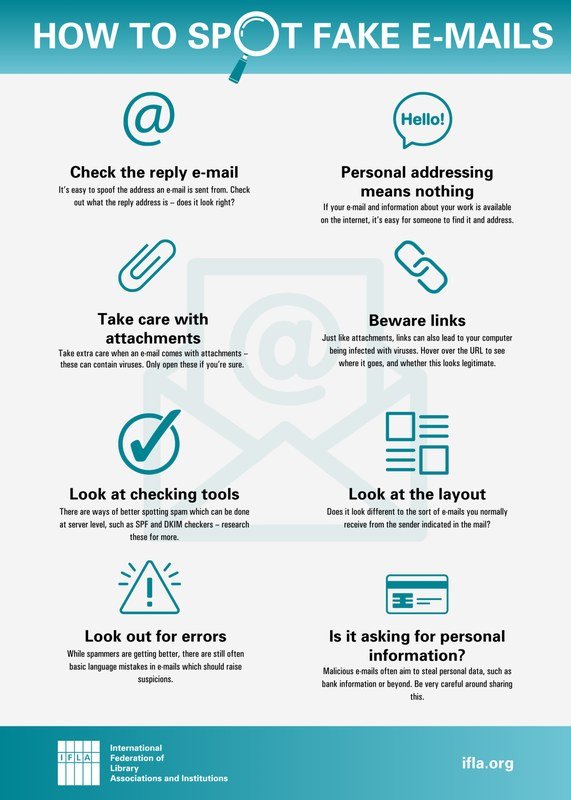
Modern password managers check the website domain before autofilling. If you land on a lookalike domain instead of the real site, the manager refuses to fill and keeps your credentials hidden. That small behavior stops a large share of phishing attempts before you type a single character. It matters because phishing pages have become more convincing than ever, with AI tools capable of producing realistic fake login screens in seconds. Learning how to stay safe from AI scams is a useful complement to the protection a password manager provides.
What to Look For in a Password Manager in 2026
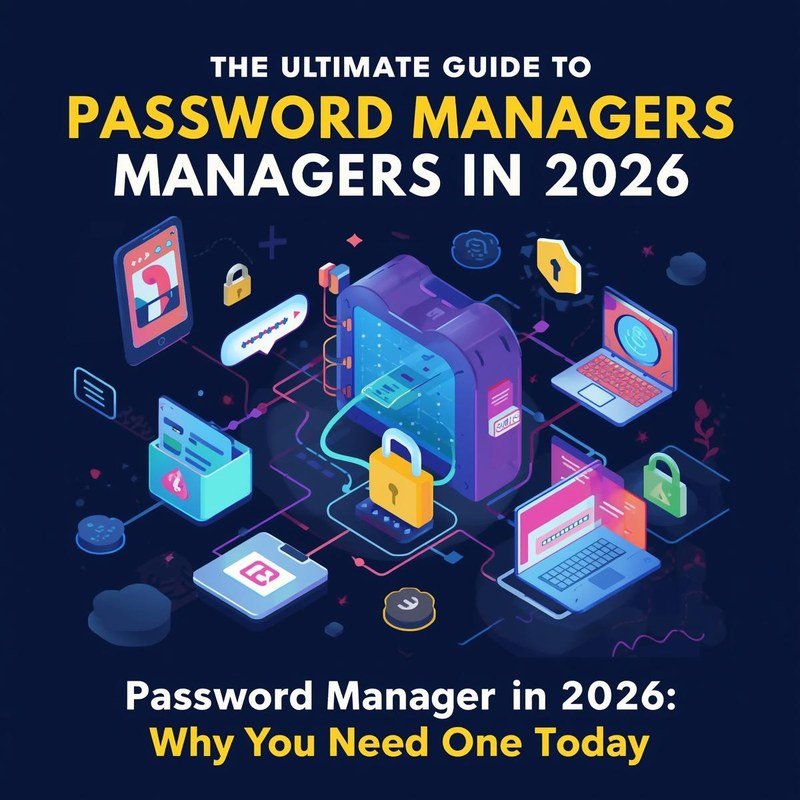
A password manager dashboard showing stored login credentials and a padlock security icon.
End-to-End Encryption and Zero-Knowledge Architecture
Confirm that the app encrypts your vault on your device before anything is uploaded. Look for a published explanation of the encryption model, and check whether the company can reset your master password. If it can, the product is not truly zero-knowledge, and your data is only as safe as the provider’s internal controls.
Free tiers, pricing, and feature sets vary by provider and change frequently. A free plan can be perfectly adequate for personal use, but verify current limits, device support, and privacy terms on the official site before you commit.
Multi-Factor Authentication (MFA) Integration
A strong password manager does more than store passwords. Look for built-in one-time code generation (TOTP), passkey support, and compatibility with hardware security keys. Just as important, enable MFA on the password manager’s own account, so a stolen master password alone is still not enough to unlock your vault.
Cross-Platform Support and Browser Extensions
A password manager only helps if it is wherever you log in. Check browser extensions for Chrome, Firefox, Safari, and Edge, plus native apps for Android and iOS. If you use multiple devices, test how well the mobile apps and desktop apps sync before you commit. Feature coverage varies noticeably between platforms.
Independent Security Audits and Transparency
Reputable password managers commission independent security audits of their apps and infrastructure. Look for published audit reports, responsible-disclosure policies, and bug bounty programs. When a company refuses to share how its encryption and audits work, you are being asked to trust marketing claims instead of evidence.
Who Should Use a Password Manager
Everyday Individuals and Families
If you have more than a handful of online accounts — email, banking, streaming, shopping, health portals — you are already a strong candidate. Families can benefit even more because shared household accounts, like streaming services or utility logins, can be stored in a shared vault instead of being texted back and forth. Use sharing features only for accounts you genuinely need to access together.
Teams, Remote Workers, and Enterprises
Businesses face credential sprawl: remote workers need access to vendor portals, cloud consoles, and internal tools without writing passwords in chats or docs. Password managers built for teams add role-based access controls, audit logs, and safe offboarding so a departing employee cannot carry business credentials with them. Enterprise plans differ widely, so evaluate the specific features against your team’s workflow.
The Benefits of Password Managers Beyond Security<
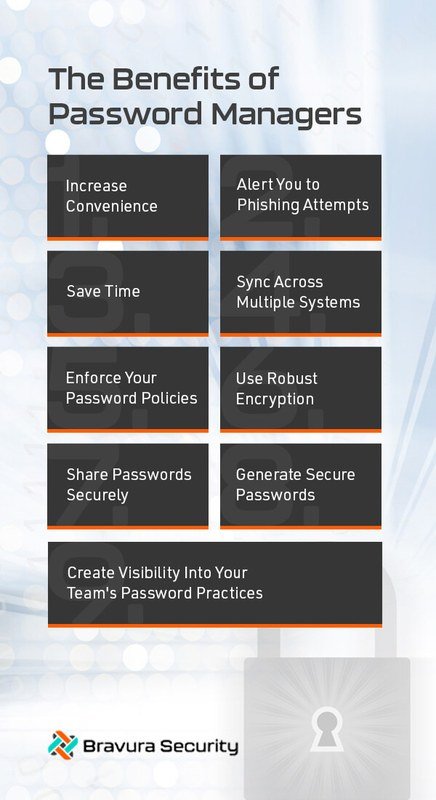
A password manager dashboard showing saved credentials and security tools.
A password manager dashboard showing saved credentials and security tools.
Convenience and Reduced Password Fatigue
Security is the headline, but convenience is the reason the habit sticks. Password fatigue is real: when people are asked to remember too many codes, they default to reuse, predictable variations, or sticky notes. A password manager removes that burden with one-click logins and effortless password changes, which makes it far more likely you will actually use strong credentials.
Secure Password Sharing for Households and Teams
You can share a streaming login with family members or a cloud console with a teammate without ever exposing the password in a chat message. Shared entries can be updated once, and the change applies for everyone, which avoids the messy dance of telling every person the new password after a breach.
Dark Web Monitoring and Breach Alerts
Many password managers monitor breach databases and alert you when an email address appears in newly leaked data. These alerts turn a vague sense of worry into a specific action: change this password now. Understanding how websites track you online and how to protect yourself explains why so much personal data is already scattered across breaches in the first place.
Limitations and Common Mistakes to Avoid
The Single Point of Failure: Your Master Password
All of the protection sits behind one master password. If you forget it, recovery is usually impossible by design, because the provider cannot decrypt your vault. Create a passphrase you can actually remember, and store the recovery code on paper in a secured location rather than trusting memory alone for something you will rarely type.
Use a passphrase of four or five unrelated words, such as a short phrase that combines random nouns and actions. A long passphrase is easier to remember than a short jumble of symbols and far harder to crack.
Over-Reliance on Autofill and Ignoring Context
Autofill checks domains, but it cannot read your situation. Never autofill on a shared or public computer unless you are prepared to log out and clear everything afterward. A password manager also cannot protect you if you override its warnings and manually type your credentials into a phishing page.
Choosing a Provider With Weak Privacy Practices
Not every app that calls itself a password manager is trustworthy. Some free tools collect usage data, show promotional content, or have unclear data-retention policies. Read the privacy policy, look for published security documentation, and avoid any app that cannot explain how it encrypts your vault. When in doubt, check how the provider handles your personal data across the rest of your online activity.
How to Get Started and Maintain Password Hygiene
Setting Up Your Vault and Importing Existing Passwords
Most modern password managers let you import passwords directly from your browser, which gives you a usable vault in minutes. Imported credentials are usually weak, reused, or outdated, so treat the import as a starting point rather than a finished system. Your first session should focus on the accounts that matter most: email, banking, and anything linked to payment methods.
Add the manager’s app and browser extension, then create your master password using a long, memorable passphrase.
Use the built-in importer to bring in credentials from your browser or a CSV export from an old manager.
Most managers flag reused, weak, or old passwords. Start with the accounts that hold financial or email access.
Use the generator to create a new unique password for each flagged account and let the manager store it.
Creating a Strong Master Password and Enabling MFA
Your master password is the only password you need to remember, so make it count. Use four or five unrelated words and avoid personal details that appear in your social media or breach history. Then enable multi-factor authentication on the password manager itself, ideally with an authenticator app or a hardware security key rather than SMS.
Regularly Reviewing and Updating Saved Credentials
Set a simple routine: every few months, open the security dashboard and replace any reused passwords the tool flags. When a service announces a breach, update that account immediately. The password manager handles the hard part — generating a strong new password — so the only real task is remembering to rotate.
Value and Final Recommendation
Are Password Managers Worth the Investment in 2026?
For nearly everyone, yes. The practical trade-off is simple: a password manager reduces both the risk of account takeover and the mental effort of managing dozens of unique passwords. Paid plans add family sharing, advanced sharing controls, and broader monitoring, but free tiers from reputable providers remain a reasonable starting point for many individuals. Verify current pricing and feature details on the official website, since offers change. If you also use public networks while traveling, pairing a manager with good habits — such as knowing how to stay private on public WiFi — closes most of the common attack routes.
- Creates genuinely unique passwords for every account, stopping credential-stuffing attacks
- Encrypts your vault with a zero-knowledge model that keeps provider staff out
- Blocks many phishing attempts by autofilling only on the correct domain
- Reduces password fatigue and makes secure sharing practical
- Creates a single point of failure around one master password
- Cannot protect against manual entry into a convincing phishing page
- Requires you to trust the provider’s encryption and privacy practices
- Subscription costs and feature limits vary by provider and plan
TheWordsNews Editorial Team’s Verdict
A password manager will not make you invincible, and it should not replace caution, software updates, or multi-factor authentication. But it directly addresses the most common root cause of account takeover: password reuse. For anyone who wants safer accounts with less mental effort, the balanced choice is to pick a reputable manager with strong encryption and published audits, enable MFA on it immediately, and pair it with basic security habits like treating unsolicited messages with suspicion and keeping sensitive accounts on unique logins. Verified pricing and current feature details vary, so confirm them on the provider’s official site before making a final decision.
Frequently Asked Questions