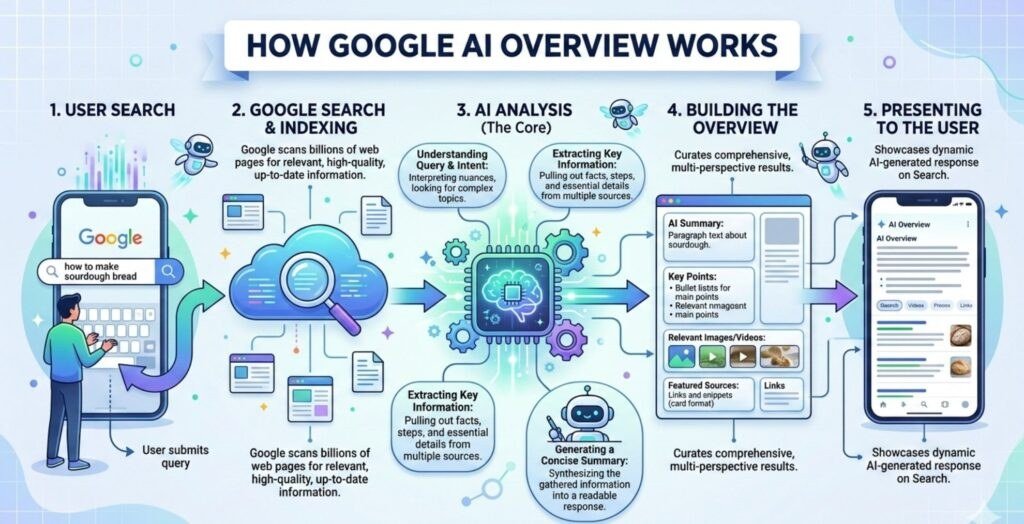
How Google AI Overview Works A Detailed Explanation
Google AI Overview is an AI-generated summary that appears at the top of search results, built using Retrieval-Augmented Generation and Gemini models grounded in Google’s index. It retrieves relevant web pages, synthesizes them into a conversational answer, and attaches citations for verification.
Understanding how google ai overview works starts with recognizing that it is not a single algorithm but a layered system that combines Google’s search index with generative AI. AI Overviews are the AI-generated summaries that appear at the top of many Google Search results, built to answer complex questions without forcing you to open a dozen tabs. This guide explains the technology, the step-by-step generation process, the benefits, and the real limitations you should know about.
- RAG-based: AI Overviews retrieve real web pages first, then generate an answer grounded in those.
- Gemini-powered: Google’s Gemini large language models handle the summarization and reasoning.
- Citation-first design: Inline links and a sources list let you verify claims directly.
- Triggered by complexity: Comparison, planning, and research queries are most likely to get an AI Overview.
- Not infallible: Hallucinations and over-reliance are real risks; always verify critical facts.
What Is Google AI Overview and How Does It Work
Google AI Overview is a feature in Google Search that generates a concise, conversational answer to a query and places it above the traditional list of blue links. Instead of showing only a featured snippet or a list of results, Google compiles information from multiple web pages and presents it in a single summary with source links.
The feature began as an experiment called the Search Generative Experience (SGE) in 2023, rolled out to the United States in May 2024, and expanded to more countries and languages through 2024 and 2026. In 2026, Google also introduced AI Mode, a separate, more conversational search mode built for multi-step research questions. AI Overviews, however, remain the default AI-infused experience for regular searches.
Google decides whether to show an AI Overview based on the query. Simple questions with a clear factual answer might get a featured snippet instead. Complex queries — comparisons, planning, research, or questions with multiple valid answers — are more likely to trigger an AI Overview.
The Core Technology Behind AI Overview
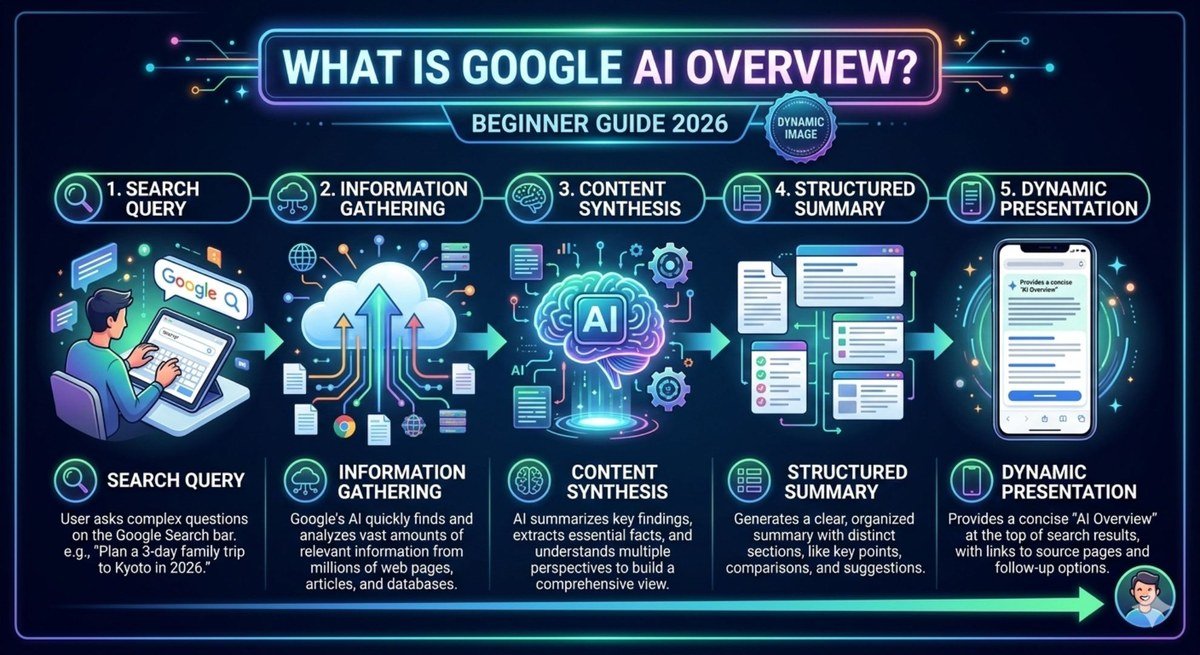
A diagram illustrating the AI process from query to overview with source citations.
Two technologies do the heavy lifting: Retrieval-Augmented Generation (RAG) and Google’s Gemini large language models. Together they keep AI Overviews grounded in real web content rather than relying on the model’s memory alone.
Retrieval-Augmented Generation (RAG)
RAG is an architecture that combines a retrieval system with a generative model. In plain English: before the AI writes anything, it first looks up relevant documents from Google’s index, then uses those documents as the basis for its answer.
The “retrieval” part pulls candidate pages using Google’s core ranking systems. The “augmentation” part injects the content of those pages into the prompt given to the language model. The “generation” part is where the model writes the final summary. Because the model is constrained by the retrieved sources, it is less likely to invent facts, and it becomes possible to cite where each piece of information came from.
Google has described AI Overviews as “grounded” in search results. This grounding is what allows the feature to include citations at all — a purely generative model, left to its own memory, cannot reliably point to sources.
The Role of Gemini and Large Language Models
Gemini is Google’s family of multimodal large language models, and it powers the generation side of AI Overviews. Earlier Google search technologies like BERT and MUM improved the understanding of language, but they were not built to generate full conversational answers. Gemini is.
Gemini processes the retrieved pages, compares the information, and writes a summary that reads naturally. It can handle long contexts, which matters when the system is feeding it several full web pages. Google has also fine-tuned the model specifically for search, with instructions to stay on-topic, attribute claims, and avoid repeating unsupported details.
Step-by-Step: How an AI Overview Is Generated
You can think of the process as four stages: understanding the query, finding sources, synthesizing the answer, and attaching citations.
Query Understanding and Intent Detection
Every search starts with query understanding. Google analyzes the words in your query, their meaning, and the likely intent behind them. Is this a quick fact lookup, a product comparison, a planning question, or a research request?
AI Overviews are most likely when the intent is informational and the question benefits from multiple perspectives. If Google determines the query is simple and factual, it may skip the AI Overview entirely and show a featured snippet or a direct answer. That decision is made by a combination of classifiers and ranking signals.
Source Retrieval and Ranking
Next, Google retrieves candidate pages from its index. Its core ranking systems — including the same systems that rank organic results — evaluate relevance, quality, freshness, and authority. The system selects a small set of pages, typically a handful, to serve as the source material for the answer.
This step matters because the quality of the AI Overview depends almost entirely on the quality of the retrieved sources. If the sources are weak, the summary will be weak, regardless of how good the language model is.
Summarization and Citation Generation
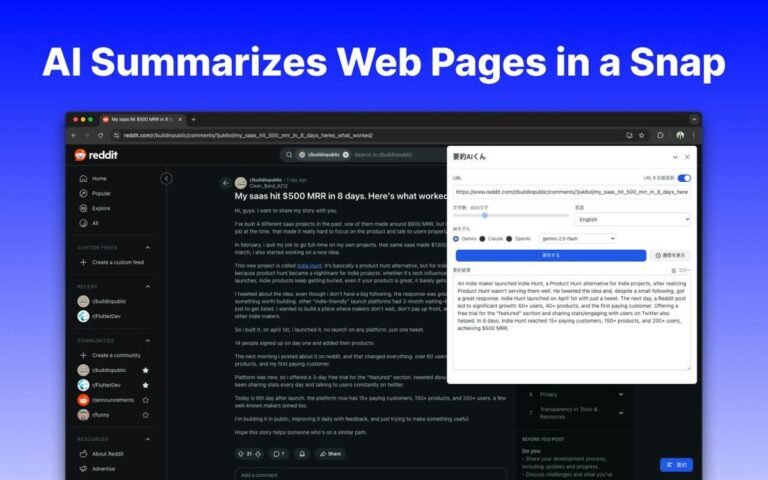
Gemini then reads the selected pages and generates a summary. It organizes the answer around the user’s question, often breaking it into short paragraphs or bullet points. The model is instructed to stay close to the source material and to flag uncertainty when sources conflict.
Citations are generated alongside the text. Google displays source links in two places: as small inline links within sentences and as a sources section at the bottom of the overview. Clicking a citation takes you directly to the web page, which makes verification possible.
Google analyzes intent and decides whether an AI Overview would help.
Ranking systems pull relevant, high-quality pages from the index.
Gemini synthesizes the sources into a conversational answer.
Inline links and a sources list are added for verification.
Key Features and Specifications of AI Overview
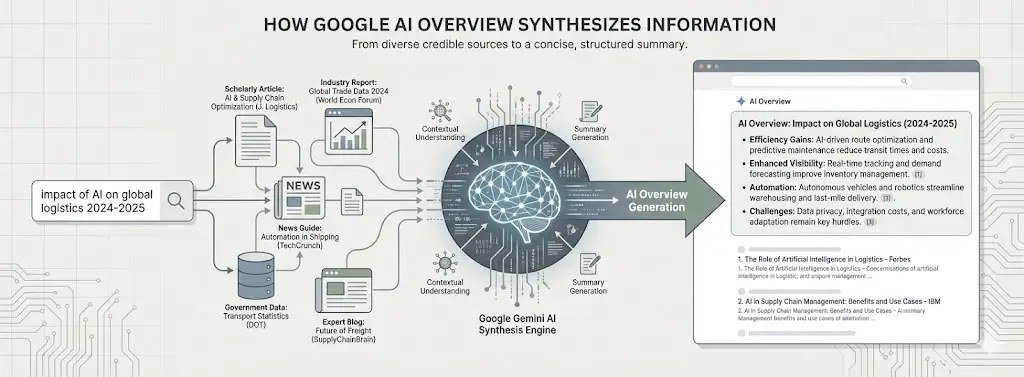
Diagram of Google AI Overview components: AI summary, citations, and links.
AI Overviews are not a static product; Google has changed the design and behavior several times since launch. The table below covers the main features as they currently work.
| Feature | What It Does | What to Know |
|---|---|---|
| Placement | Appears at the top of search results | Sits above organic links; ads may appear nearby |
| Trigger | Complex, conversational, or comparison queries | Simple queries may show a featured snippet instead |
| Sources | Draws from multiple web pages | Typically a handful of sources; exact count varies |
| Citations | Inline links plus a sources list | Click through to verify claims |
| Model | Gemini family of large language models | Grounded in retrieved search results |
| Availability | Rolled out across many countries and languages | Expanded gradually since May 2024 |
| AI Mode | Separate conversational mode for multi-step research | Access varies by region and account |
Benefits of Google AI Overview for Users
When it works well, an AI Overview saves real time. Instead of scanning five or ten results and mentally combining the information, you get a synthesized answer in one place. That is especially useful for comparison questions, trip planning, product research, and topics where no single page has the complete answer.
AI Overviews also surface multiple perspectives. Because the summary draws from several sources, it can show both sides of a debate or list pros and cons that no single article covers. The inline citations make it easy to verify a specific claim by clicking straight to its source.
Another benefit is the conversational follow-up. You can ask a natural follow-up question without retyping the entire query, and Google will refine the overview accordingly. This makes AI Overviews feel more like a research assistant than a traditional search result.
Limitations, Risks, and Common Mistakes
AI Overviews are useful, but they are not perfect. Understanding the limitations is the best way to avoid being misled.
Hallucinations and Misinformation
Like all large language models, Gemini can produce confident-sounding statements that are wrong. The most widely reported early example was the “glue on pizza” incident in 2024, where an AI Overview suggested adding glue to keep cheese from sliding off. Google quickly fixed that specific issue and added guardrails, but no LLM-based system is completely free of errors.
Problems can also happen when sources themselves are wrong, outdated, or satirical. The retrieval step brings in pages from the open web, and the model may not always recognize unreliable content. Google has added safeguards, but users should treat AI Overviews as a starting point, not a final authority.
Over-Reliance on AI Summaries
The bigger risk is behavioral. When a summary appears at the top of the page, many users stop scrolling and never click the sources. That means they miss nuance, context, and information that the summary left out.
Publishers have also raised concerns that AI Overviews reduce clicks to websites, which could shrink the pool of content available to retrieve in the first place. Google says it continues to prioritize traffic to quality sites, but the relationship between AI answers and publisher traffic remains a work in progress.
- Click the citations to verify important claims
- Use AI Overviews for research and planning, not for final answers
- Cross-check time-sensitive facts like prices and dates
- Assuming the summary is always accurate
- Skipping the sources on medical, financial, or legal topics
- Treating an AI Overview as a substitute for your own judgment
How to Use AI Overview Effectively
To get the most out of AI Overviews, treat them as a smart assistant that needs supervision. Start with a specific, well-worded query. The better Google understands your question, the better the summary will be. Vague queries produce vague overviews.
Use the follow-up box to refine your question rather than starting a new search. If the overview covers half of what you need, ask a follow-up like “compare the top two options” or “what about durability?”
Most importantly, click the citations. The sources section is the difference between a claim and a verified claim. For anything that matters — a purchase, a medical decision, a legal question — open the linked pages and read the original context.
For research-heavy tasks, copy the AI Overview into a notes document, then open each cited source and mark which claims are confirmed. You will end up with a verified research summary in minutes instead of hours.
Value, Future Outlook, and Final Recommendation
AI Overviews represent a fundamental shift in how Google Search operates. Instead of sending users out to the web and letting them synthesize information, Google now does the synthesis in-house and uses the web as its source material. That shift brings real convenience, but it also puts more responsibility on the user to verify.
Looking ahead, Google is pushing further into AI-first search. AI Mode, deeper Gemini integration, and agentic features that can complete multi-step tasks are already changing the search experience. The trend is clear: search is becoming conversational, and the line between search engine and AI assistant is blurring.
Our recommendation is simple: use AI Overviews as a research accelerator, not an oracle. They are excellent for getting oriented, comparing options, and finding angles you had not considered. But the citations exist for a reason — click them, verify the details that matter, and keep your critical thinking on.
- AI Overviews use RAG to ground Gemini-generated summaries in real search results.
- They appear for complex queries and include inline citations for verification.
- They save time and surface multiple perspectives, but they can still hallucinate.
- Use them as a starting point: click sources, verify critical facts, and think critically.
Frequently Asked Questions