How AI Is Used in Education Today Real World Examples
AI is used in education today for personalized tutoring, adaptive practice, automated grading, administrative chatbots, accessibility tools, and learning analytics. Real tools like Khanmigo, Duolingo, Grammarly, and Turnitin are already in active classroom use.
If you’ve wondered how AI is used in education today, the direct answer is that it now supports personalized tutoring, adaptive practice, automated grading, administrative workflows, accessibility tools, and early-warning analytics in classrooms at every level. As of 2026, these capabilities are built into mainstream learning platforms, writing assistants, and school communication systems rather than confined to research pilots. This guide walks through the main categories, real-world examples, what to verify before adopting a tool, and the trade-offs schools, teachers, and families should weigh.
- Core uses: AI powers tutoring, adaptive practice, grading, administration, accessibility, and analytics in schools today.
- Real examples: Khanmigo, Duolingo, Grammarly, Turnitin, and Georgia State’s Pounce chatbot are in active use.
- Before adopting: Check LMS integration, device requirements, accessibility, and data privacy policies.
- Rollout wisely: Start with a pilot, train teachers, and keep human oversight of AI decisions.
- Cost varies: Pricing ranges from free tiers to district contracts; confirm current rates and consider alternatives.
The Direct Answer About How AI Is Used in Education Today
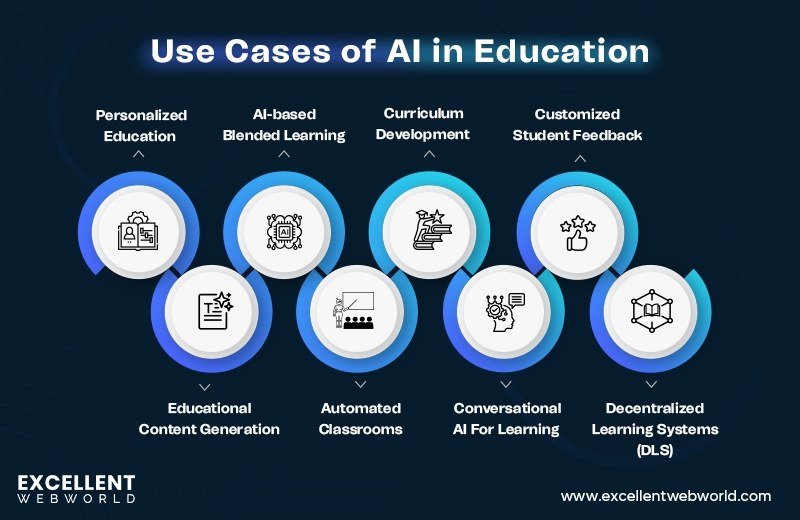
AI in education is not a single product. It is a set of capabilities layered into tools that teachers and students already use. The six most common categories are:
- Adaptive learning platforms adjust lesson difficulty and sequence based on how each student performs.
- AI tutors and chatbots offer on-demand hints, explanations, and practice conversations outside class hours.
- Automated assessment tools score essays and short answers, and they can flag AI-generated text.
- Administrative automation handles scheduling, admissions questions, attendance tracking, and routine emails.
- Accessibility tools convert speech to text, read text aloud, summarize long readings, and support students with disabilities.
- Learning analytics identify students at risk of falling behind so instructors can intervene earlier.
Real-world examples are easy to find. Khan Academy’s Khanmigo acts as a tutor that guides students through problems with questions instead of handing them answers. Duolingo personalizes language lessons using machine learning. Grammarly is widely used by students as a writing assistant. Turnitin now includes AI-writing detection alongside its plagiarism service. Georgia State University deployed a chatbot named Pounce to answer admissions and enrollment questions, a project widely reported as helping reduce “summer melt” among accepted students. Carnegie Learning’s MATHia provides adaptive math instruction in many districts. These are not hypothetical pilots; they are tools in active daily use.
What to Look For and Who It Suits

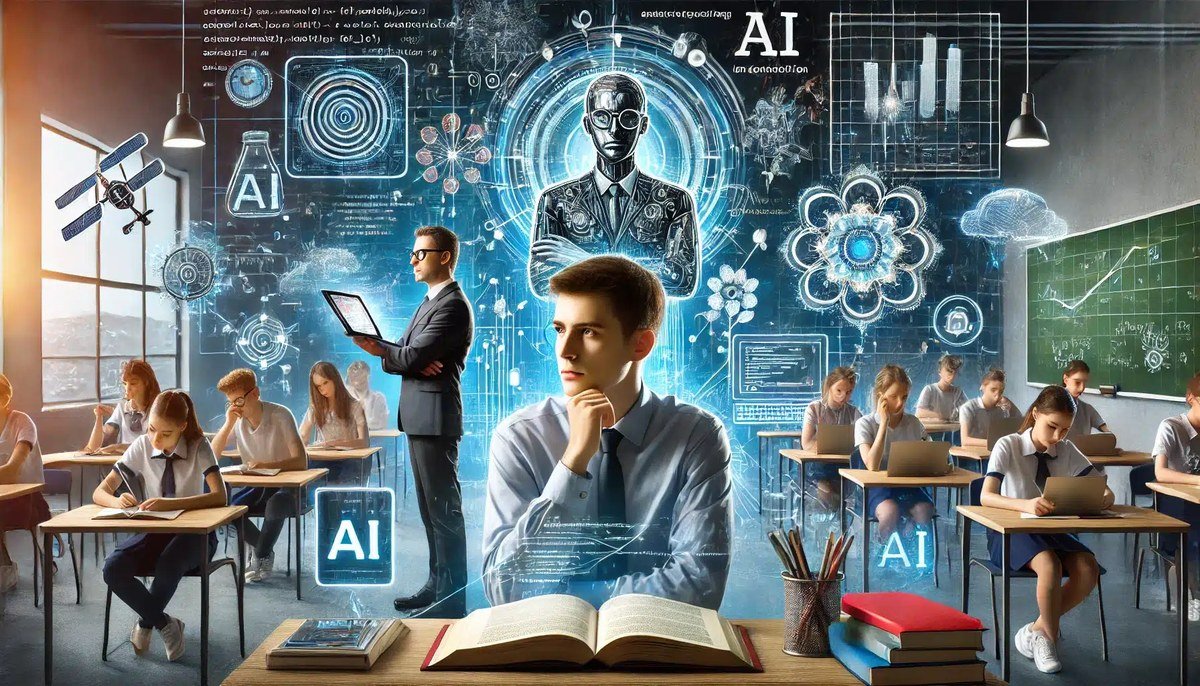
A student interacts with AI tutoring software on a laptop during a classroom lesson.
The right AI tool depends on who is using it and for what purpose. Teachers and professors benefit most from grading assistants, lesson-plan generators, and analytics dashboards that save time. Students benefit from tutors, writing feedback, and adaptive practice that match their pace. Administrators gain the most from chatbots and scheduling automation. Parents and guardians may use AI study aids at home, but they should verify that those tools align with what the school already uses.
When evaluating any tool, look for a clear connection to a stated learning goal, a simple interface, built-in training or onboarding, and a transparent data-privacy policy. A flashy tool that teachers cannot operate, or that collects unnecessary student data, will fail regardless of how advanced the underlying model is.
Also remember that feature sets vary by vendor and subscription tier. A marketing page may describe capabilities the classroom edition does not include, so confirm the exact functions and data practices with the provider before purchasing.
Key Capabilities, Specifications, and Data Considerations to Check
Before adopting any AI tool, check these specifications rather than trusting a feature list alone:
- Learning management system (LMS) integration: Does it work inside Canvas, Blackboard, Google Classroom, or your school’s existing system?
- Device and connectivity requirements: Will it run on the Chromebooks, tablets, or home devices students already have?
- Accessibility compliance: Does it support screen readers, captions, translation, or other accommodations?
- Data storage and retention: Where is student data stored, who can access it, and how long is it kept?
- Model transparency: Does the vendor explain how the AI makes decisions or scores responses?
- Cost model: Is it a free tier, a per-seat license, or a district-wide contract?
| Tool Category | Best For | Key Consideration |
|---|---|---|
| AI tutor (e.g., Khanmigo) | Students needing guided practice | Requires teacher oversight to prevent over-reliance |
| Adaptive platform (e.g., Duolingo, MATHia) | Self-paced skill building | Content depth varies by subject and grade level |
| Writing assistant (e.g., Grammarly) | Editing and feedback on drafts | May mask a student’s own voice if overused |
| AI detection (e.g., Turnitin) | Academic integrity checks | Detection is not perfect; false positives are possible |
| Administrative chatbot (e.g., Pounce-style tools) | Enrollment and support queries | Needs a clear escalation path to human staff |
These specifications matter because they determine whether a tool works in your actual environment. LMS integration prevents duplicate data entry. Device requirements affect equity, since students without reliable hardware or bandwidth will be left out. Accessibility compliance is both a legal and practical requirement. Data storage rules shape privacy obligations, and model transparency affects how much you can trust automated decisions.
Real-World Examples, Benefits, and Trade-Offs
Students work with AI tutoring software on laptops during a classroom lesson.
The clearest benefits of AI in education are personalization, immediate feedback, and time savings. A student stuck on a math problem can get a hint at 10 p.m. instead of waiting for the next class. A teacher can generate a first draft of a rubric in minutes. An advisor can answer routine questions automatically and focus on complex cases that need human judgment.
Beyond the well-known names, the landscape is broad. Squirrel AI offers large-scale adaptive tutoring, mainly in China. Photomath and similar apps solve and explain math problems step by step. Otter.ai transcribes lectures for students who need better notes. Quizlet uses AI to generate study sets from uploaded material. Each tool serves a different need and each requires different levels of oversight.
But the trade-offs are real. AI models can produce confident but incorrect answers, a problem known as hallucination. They can reflect bias present in their training data. Students may use generative AI to complete assignments without actually learning. Schools in low-income areas may lack the devices, bandwidth, or training to use these tools equitably. And every tool that collects student data introduces privacy and security obligations.
- Personalized pacing and instant feedback for students
- Large time savings for grading, planning, and routine questions
- 24/7 availability for tutoring and administrative support
- Early-warning analytics that help at-risk students
- Risk of hallucinations and biased outputs
- Potential for student over-reliance and academic integrity issues
- Data privacy and security obligations for schools
- Equity gaps in device access, bandwidth, and teacher training
Implementation, Rollout, and Common Mistakes
Implementation determines success more than the technology itself. Schools that treat AI as a direct replacement for teachers, or that roll it out without clear policies, tend to see the worst outcomes. The tools work best when they support, rather than substitute for, human instruction.
- Start with a small pilot in one grade, subject, or department
- Train teachers on the tool before students use it
- Publish a clear AI-use policy for students and staff
- Keep a human review step for any AI-generated grade or decision
- Adopting tools without checking data privacy agreements
- Using AI detection results as the sole proof of misconduct
- Assuming every teacher has the same comfort level with AI
- Rolling out district-wide before evaluating pilot results
Common mistakes include choosing a tool because it is trendy rather than because it solves a specific problem, ignoring the cost of training time, and failing to communicate with parents about how and why AI is being used. A sensible rollout starts small, defines measurable success criteria, and expands only after reviewing the evidence.
Ongoing Maintenance, Monitoring, and Data Care
AI tools are not set-and-forget. Models are updated, student populations change, and problems surface only after real use. Schools should schedule regular reviews of AI-generated outputs, monitor for biased or inaccurate responses, and keep records of how and where the tool was used.
Data care is the most important ongoing responsibility. Student records are sensitive, and AI tools often process them in the cloud. Schools should review vendor data-retention policies, require anonymization where possible, and ensure that contracts include clear breach-notification and deletion terms.
Never enter student names, grades, or other personally identifiable information into a consumer AI tool unless the school has approved it and verified the vendor’s data protections. Free consumer chatbots are not designed for student records.
Cost, Alternatives, and Final Recommendation
Costs for AI education tools vary widely. Some vendors offer free tiers for individual teachers, while enterprise licenses for districts are priced per student or per school and are rarely published publicly. Confirm current pricing with the vendor, and factor in the hidden costs of training, technical support, and integration work.
Alternatives exist for every category. Open-source models can be self-hosted by districts with technical capacity. Non-AI edtech tools, human tutoring programs, and traditional assessment methods remain viable, and sometimes preferable, for schools without the infrastructure or budget to support AI well.
- Define the specific problem the tool must solve
- Verify LMS integration, device compatibility, and accessibility
- Review the vendor’s data privacy and retention policies
- Plan teacher training and a human review process
- Start with a pilot and set measurable success criteria
Final recommendation: Start small, choose tools that solve a defined problem, and prioritize data privacy and teacher training above features. AI in education is a powerful assistant, not a replacement for human judgment, and the best outcomes come from schools that treat it that way.
- AI in education today covers tutoring, adaptive practice, grading, administration, accessibility, and analytics
- Real tools like Khanmigo, Duolingo, Grammarly, Turnitin, and Pounce are already in active use
- Check integration, device requirements, accessibility, and data privacy before adopting
- Start with a pilot, train staff, and keep human oversight of AI decisions
- Costs vary by vendor and tier; confirm current pricing and consider non-AI alternatives
Frequently Asked Questions